
Key Takeaways
-
CMS integration eliminates manual content publishing by automatically connecting your content creation tools directly to platforms like WordPress, Webflow, Shopify, or Wix, saving agencies 40+ hours monthly and enabling hands-off content growth.
-
Proper CMS integration automatically handles critical SEO elements including meta titles/descriptions, heading structure, internal linking, schema markup, and sitemap pings, removing human error that hurts rankings and ensuring consistency that Google rewards.
-
Setting up CMS integration takes just minutes—connect your CMS, set up keyword research, build a publishing calendar targeting one article daily, configure SEO settings, and enable an approval workflow before content goes live automatically.
-
Different teams see major time savings: small agencies save 40+ hours managing multiple client sites, e-commerce SEO specialists save 50+ hours scaling product pages, and small business owners save 15-20 hours with hands-off publishing.
-
Modern CMS integration now optimizes content for both traditional search engines and AI-powered search platforms like ChatGPT and Perplexity, allowing your content to be discovered across multiple discovery channels simultaneously.
-
Common mistakes to avoid include skipping content approval workflows, ignoring URL structure consistency, publishing content without internal links, overlooking mobile formatting, and neglecting performance tracking after publication.
If you’ve ever spent hours copying content from a document and pasting it into your website, you know the pain. It’s repetitive, error-prone, and honestly, a huge waste of time. That’s where CMS integration comes in — and once you understand how it works with SEO content automation, you’ll wonder how you ever managed without it.
CMS integration connects your content creation tools directly to your content management system. Think WordPress, Webflow, Shopify, or Wix. Instead of manually moving content around, everything flows automatically. Articles get written, optimized, and published — all without you lifting a finger. For small business owners, marketing teams, and agencies juggling multiple clients, this is a genuine game-changer.
In this guide, we’ll walk through exactly how CMS integration works in the SEO content automation world, why it matters for your rankings, and how to set it up so your site grows on autopilot. Let’s dive in!
What Is CMS Integration in SEO Content Automation?
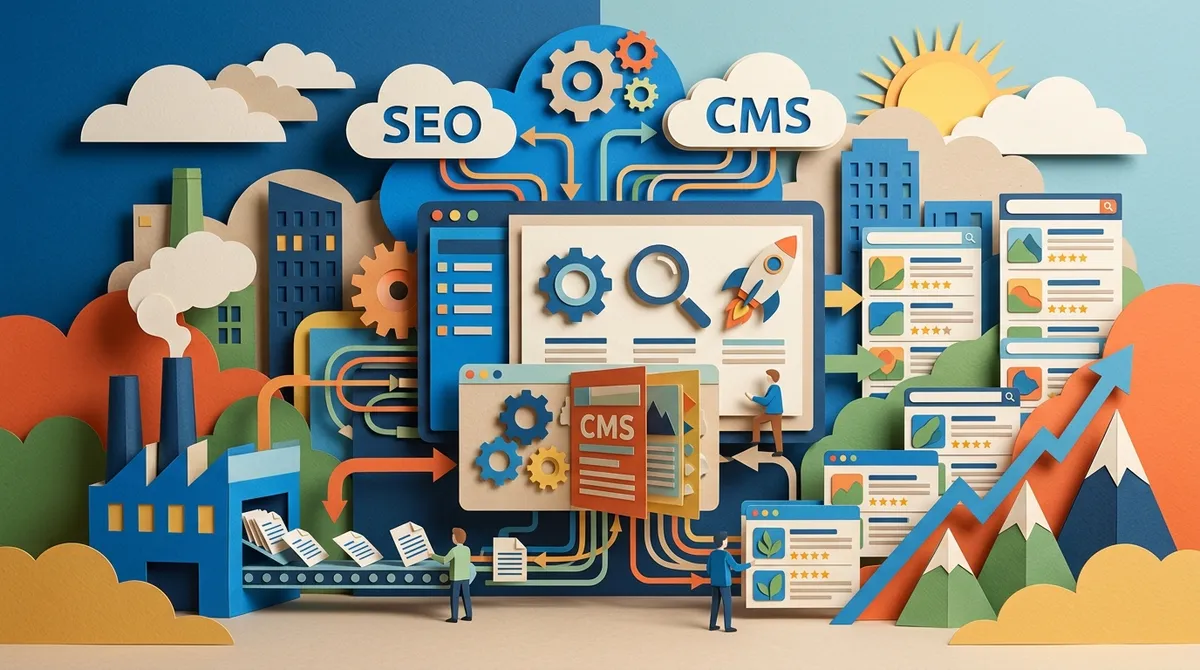
At its core, CMS integration is the bridge between your content generation tools and your website. When you automate SEO content, you’re using AI to research keywords, write articles, and optimize them. CMS integration ensures those articles land on your website automatically — formatted correctly, with proper SEO metadata, headings, internal links, and everything else search engines love.
Without this integration, you’d still need to manually paste content, add meta titles, set categories, format headings, and hit publish. With it, that entire workflow happens in the background. It’s the difference between running a content machine and pushing a content hamster wheel.
To understand how this fits into a broader content strategy, it helps to start with SEO content writing fundamentals before layering on automation tools.

Why CMS Integration Matters for Your SEO
Consistency is one of the biggest ranking signals Google and AI search engines pay attention to. Websites that publish regularly — especially high-quality, optimized content — tend to outperform those that publish sporadically. CMS integration makes consistency effortless.
Here’s what proper CMS integration handles automatically:
- Meta titles and descriptions tailored to your target keyword
- Heading structure (H1, H2, H3) formatted for readability and SEO
- Internal links that connect related content across your site
- Image alt text for accessibility and image search
- Schema markup suggestions for rich results
- URL slug generation based on keyword and content
- Sitemap pings and IndexNow notifications to speed up indexing
- Category and tag assignments for proper content organization
All of these factors contribute to stronger rankings. And when they’re handled automatically, you remove the human error that often creeps into manual publishing workflows.

Which CMS Platforms Support SEO Content Automation?
The good news is that most popular CMS platforms are ready for automation. Here’s a quick comparison of the most widely supported platforms and what they offer:
| CMS Platform | SEO Integration Features | Best For |
|---|---|---|
| WordPress | Custom post types, meta plugins, taxonomies, REST API | Bloggers, agencies, businesses |
| Webflow | Clean code output, CMS collections, SEO fields | Designers, marketers |
| Shopify | Product/category pages, blog integration, meta fields | E-commerce SEO specialists |
| Wix | Built-in SEO tools, blog publishing, structured data | Small business owners |
| HubSpot CMS | CRM integration, built-in analytics, SEO recommendations | In-house marketing teams |
| Contentful | Headless CMS, API-first, custom content models | Developers, large enterprises |
Platforms like WordPress and Webflow are particularly popular for SEO content automation because of their flexible APIs and robust plugin/integration ecosystems. If you’re curious about the best AI tools available for content creation across these platforms, this guide covers the top options for 2026.

How to Set Up CMS Integration for Automated Content Publishing
Setting up CMS integration doesn’t have to be complicated. Follow these steps to get your automated content pipeline running smoothly.
Step 1: Choose Your CMS and Connect It
Start by identifying which CMS your website runs on. Most modern SEO automation platforms support direct connections to WordPress, Webflow, Shopify, and Wix. Connection usually takes just a few minutes — you’ll typically provide your site URL and authenticate via an API key or login credentials.
Step 2: Set Up Your Keyword Research
Before content gets published, you need a list of keywords worth targeting. Great SEO automation tools include built-in keyword research that shows you real search volume, competition levels, and keyword intent. This takes the guesswork out of content planning and ensures every article targets a real opportunity.
Step 3: Build Your Content Calendar
Once you have keywords, map them to a publishing calendar. Scheduling one article per day is widely considered an SEO best practice — it signals to search engines that your site is active and authoritative. With CMS integration, your calendar connects directly to your publishing pipeline, so scheduled articles go live automatically on the right date.
Step 4: Configure Your SEO Settings
Set up your default SEO configurations within your automation tool. This includes:
- Default meta title and description templates
- Internal linking rules based on your site’s content clusters
- Category and tag mapping for new articles
- Image settings including alt text generation
- Schema markup preferences for articles or products
Step 5: Review and Approve Content
Most automation platforms include an approval workflow. AI generates the article, and you get a chance to review it before it goes live. This is important for quality control. You can tweak, approve, or request a rewrite — then the system handles publication automatically.
Step 6: Monitor Performance and Optimize
After publishing starts, keep an eye on how your content performs. Good automation platforms include real-time SEO scoring and performance tracking. If an article isn’t ranking, you’ll get suggestions on how to improve it. This creates a feedback loop that continuously improves your content strategy.
Key SEO Features Automated Through CMS Integration
Let’s get specific about what gets automated when your CMS is properly connected. Here’s what a well-integrated system handles for you:
Metadata Automation
- Auto-generated meta titles optimized for click-through rate
- Meta descriptions written to attract searchers
- Open Graph tags for social sharing previews
- Canonical tags to prevent duplicate content issues
Content Structure Automation
- Proper heading hierarchy (H1 through H3) applied consistently
- Table of contents generated for long-form articles
- FAQ sections formatted with structured data markup
- Bold and italic emphasis applied to key terms
Linking Automation
- Internal links added based on keyword clusters and existing content
- External links to authoritative sources included naturally
- Anchor text optimized for relevance without over-optimization
Indexing Automation
- Sitemap updates triggered automatically after publishing
- IndexNow pings sent to search engines immediately
- Robots.txt rules respected to avoid crawl issues
For teams focused on getting content discovered by AI models as well as traditional search engines, improving AI search visibility is an important complement to CMS integration.
CMS Integration Benefits by Team Type
Different teams get different value from CMS integration. Here’s how it plays out in practice:
| Team Type | Top Benefit | Time Saved Per Month |
|---|---|---|
| Small SEO Agencies | Manage multiple client sites without extra headcount | 40+ hours |
| In-House Marketing Teams | Consistent publishing without bottlenecks | 20-30 hours |
| Content Managers | Automated quality checks and formatting | 25+ hours |
| Digital Marketing Consultants | Faster client results with less manual work | 30+ hours |
| E-commerce SEO Specialists | Scale product and category page content at volume | 50+ hours |
| Small Business Owners | Hands-off content growth at a fraction of agency cost | 15-20 hours |
How SEO Rocket Makes CMS Integration Simple
SEO Rocket is built around the idea that SEO blogging should be a system, not a chore. Its CMS integration connects directly to WordPress, Webflow, Shopify, and Wix in under 10 minutes. Once connected, it handles keyword research, content generation, optimization, and daily publishing — completely automatically.
The platform generates 3,000+ word SEO-optimized articles and publishes them directly to your site every single day. At around $3 per article, it’s a fraction of what you’d pay a freelancer or agency. You can explore the full feature set by checking out the SEO Rocket features page, or see real content examples on the writing examples page.
For agencies managing multiple clients, the Agency plan supports 10 client workspaces and 300 articles per month. That kind of scale would be impossible without tight CMS integration — and it’s why so many agencies are making the switch to automation. You can see what users are saying on the reviews page.
Common Mistakes to Avoid with CMS Integration
CMS integration is powerful, but a few common mistakes can trip you up. Here’s what to watch out for:
- Skipping the approval workflow: Always review AI-generated content before it goes live. Even great automation benefits from a human eye on quality.
- Ignoring URL structure: Make sure your automation tool respects your site’s existing URL conventions. Inconsistent slugs can hurt crawlability.
- Publishing without internal links: Content that floats in isolation doesn’t build topical authority. Ensure your integration includes internal linking rules.
- Overlooking mobile formatting: Check that your CMS renders auto-published content correctly on mobile devices. Formatting issues hurt user experience and rankings.
- Setting and forgetting performance tracking: CMS integration creates content, but you still need to monitor what’s working and adjust your keyword strategy accordingly.
For those just getting started with consistent content publishing, reading about daily blog posting strategies can help you build the right habits alongside your automation setup.
The Future of CMS Integration and AI Search
In 2026, CMS integration is evolving beyond just publishing to traditional search engines. Modern automation platforms now optimize content for AI-powered search engines like ChatGPT, Perplexity, Claude, Gemini, and Grok. This means structuring content so AI models can reference it as a trusted source — not just ranking on Google’s blue links.
Teams that combine CMS integration with AI visibility tracking are seeing their content discovered immediately across both traditional and AI-powered search. If you want to understand more about how AI overviews work and how to get featured in them, this article on AI overviews is a great starting point.
If you’re looking for more in-depth guidance on AI-powered blog writing strategies, you can also read our blog’s complete guide on AI blog writing for a full breakdown of what’s working in 2026.
For businesses planning their content infrastructure, it’s also worth consulting resources like the Google Search Quality Rater Guidelines to ensure your automated content meets the standards that matter most for rankings. And if you’re evaluating which platform fits your needs best, the SEO Rocket FAQ page answers the most common questions about setup, pricing, and how the automation works.
For teams who also need support with risk management or liability as they scale their digital operations, resources like Helpinghands-insurance LLC provide specialized coverage options that can complement your growing business infrastructure.
Conclusion
CMS integration is one of the most powerful things you can add to your SEO content strategy. It removes the manual bottlenecks, ensures consistency, and allows you to scale content production without scaling your workload. Whether you’re a small business owner just getting started or an agency managing dozens of client sites, the right CMS integration setup changes everything.
The key is finding a platform that handles the entire pipeline — from keyword research to publishing — without requiring constant attention from you. That’s exactly what SEO Rocket is designed to do. If you’re ready to stop wrestling with manual content workflows and start growing organic traffic on autopilot, now’s a great time to get started. Start your automated content system for $99/month and see what daily, optimized publishing can do for your rankings.
FAQs
Q: What is CMS integration in SEO content automation?
A: CMS integration connects your AI content generation tools directly to your content management system — like WordPress, Webflow, or Shopify. It automates the entire publishing pipeline, including formatting, SEO metadata, internal links, and sitemap updates, so content goes live without any manual work from your team.
Q: Which CMS platforms work best with SEO content automation?
A: WordPress, Webflow, Shopify, and Wix are the most popular choices for SEO content automation because they have flexible APIs and strong integration support. Enterprise platforms like HubSpot CMS and Contentful also work great for larger teams. The right choice depends on your website’s current setup and your team’s technical comfort level.
Q: How does CMS integration improve my search rankings?
A: When your CMS integration is set up correctly, it ensures every published article includes proper meta tags, heading structure, internal links, schema markup, and indexing notifications — all the technical SEO elements that help search engines understand and rank your content. Consistency in publishing also sends strong authority signals to Google and AI search engines.
Q: Do I need coding skills to set up CMS integration for content automation?
A: Not at all! Most modern SEO content automation platforms offer no-code CMS connections that take just a few minutes to set up. You’ll typically just need to provide your site URL and authenticate with an API key or login. Platforms like SEO Rocket are designed so anyone can connect their site and start publishing automatically in under 10 minutes.
Q: How many articles can CMS integration publish automatically each month?
A: That depends on your automation platform and plan. Some platforms publish one article per day, which is widely considered a best practice for building SEO momentum. For agencies scaling across multiple clients, higher-tier plans can handle hundreds of articles per month across multiple websites — all published automatically through CMS integration.