

Key Takeaways
-
Automatic review management uses AI to collect, monitor, and respond to customer reviews with minimal manual work, freeing SEO teams to focus on content creation instead of spending 10-15 hours monthly on review tasks.
-
Review automation directly improves local SEO rankings by increasing review volume, maintaining response consistency, and ensuring freshness—all ranking signals Google uses for local search results.
-
Review data reveals actual customer language and keywords that can inspire targeted blog posts and SEO content topics, turning feedback into strategic content opportunities.
-
Multi-location businesses and agencies can scale reputation management without hiring additional staff by centralizing reviews in one dashboard and automating requests, responses, and categorization.
-
AI-powered response drafting learns from your approved responses to generate authentic, brand-aligned replies that adapt over time, while human oversight ensures quality for negative or complex feedback.
-
Sentiment analysis and automatic tagging surface customer trends instantly—like recurring complaints or service praise—making it easy to identify systematic issues and content gaps.
-
Maintaining human oversight, customizing response templates, and setting clear escalation rules are essential to prevent over-automation mistakes that damage customer relationships or violate platform policies.
-
Review automation reclaims 8-13 monthly hours for content teams, enabling production of 2-4 additional blog posts monthly or deeper keyword research that drives more SEO traffic.
Managing customer reviews used to take hours every week. Business owners spent time reading feedback on Google, responding to each review, and trying to spot patterns in what customers said. For SEO content teams, this created a problem. Time spent on reviews meant less time creating content that drives traffic.
Automatic review management changes this. It uses software and AI to collect reviews, monitor feedback, and respond to customers with minimal manual work. For businesses focused on SEO content automation, this means you can handle reviews at scale while keeping your team focused on what matters most: creating content that ranks.
In 2026, review automation has become essential for multi-location brands and agencies managing multiple clients. It helps teams scale their reputation management without hiring more people or burning out their current staff.

What Is Automatic Review Management
Automatic review management is a system that handles the repetitive tasks involved in collecting and responding to customer reviews. Instead of manually checking Google Business Profile locations, review sites, and social platforms every day, the software does it for you.
The system typically includes these core functions:
- Automated review invitations sent after customer interactions
- Monitoring across platforms like Google, Yelp, Facebook, and industry-specific sites
- AI-assisted response drafting that maintains your brand voice
- Tagging and categorization of feedback themes
- Reporting dashboards that show review trends
- Escalation workflows that route urgent negative reviews to human reviewers
For SEO content automation teams, the biggest value comes from reducing repetitive review tasks while keeping humans involved in strategy, tone approval, and handling sensitive situations. You maintain control while automation handles the volume.
Review automation is especially useful for businesses with multiple locations. Instead of managing feedback from ten, twenty, or fifty Google Business Profile locations separately, you centralize everything in one dashboard. This makes it easier to spot patterns, respond consistently, and use review data to improve your service.

How Review Automation Supports SEO Content Strategy
Reviews directly impact your local SEO performance. Google uses review volume, recency, and response rates as ranking signals for local search results. When you automate review collection, you increase the number of reviews your business receives. More reviews signal to Google that your business is active and trusted.
Fresh reviews matter too. A business that received 50 reviews last year but none this year looks less active than one with steady monthly reviews. Automatic review requests ensure you maintain a consistent flow of new feedback. This freshness factor helps your local rankings stay competitive.
Response consistency also affects SEO. Google’s Search Quality Rater Guidelines emphasize that engaged businesses provide better user experiences. When you respond to reviews promptly and thoughtfully, it signals active management. Automation helps you maintain this consistency even during busy periods.
Beyond rankings, reviews provide content opportunities. Customer feedback often contains keywords and phrases people actually use when searching for your services. A roofing company might discover customers frequently mention “emergency leak repair” or “hail damage inspection” in reviews. This insight can guide your SEO content topics and keyword targeting.

Key Features of Review Automation Systems
Modern review automation platforms offer specific features designed to reduce manual work while maintaining quality. Here are the capabilities that matter most for SEO content teams:
Automated Review Invitations
The system automatically sends review requests to customers after they complete a purchase, service appointment, or interaction. You set the timing and platform preferences. The software handles delivery through email, SMS, or both. This eliminates the need to manually remind customers to leave reviews.
For businesses with CRM systems, review automation integrates with your existing customer data. When a job is marked complete, the review request triggers automatically. This ensures no customer falls through the cracks and maximizes your review volume.
Multi-Platform Monitoring
Instead of logging into Google, Yelp, Facebook, and industry-specific review sites separately, automation tools aggregate everything into one dashboard. You see all new reviews in a single feed. This saves significant time and ensures no review goes unnoticed.
The monitoring happens in real-time. When a new review appears on any connected platform, you receive a notification. This allows for quick responses, which customers appreciate and platforms reward with better visibility.
AI-Powered Response Drafting
Artificial intelligence analyzes review content and generates appropriate responses that match your brand voice. For positive reviews, it creates personalized thank-you messages. For negative reviews, it drafts empathetic acknowledgments that invite further conversation.
The AI learns from your approved responses over time. As you edit and refine drafts, the system adapts to your preferred tone, length, and messaging. This creates responses that sound authentically human while saving you the time of writing from scratch.
Many platforms now allow you to set response templates for common scenarios. A five-star review about fast service might trigger a specific thank-you template. A one-star review mentioning wait times triggers a different apologetic template with a direct contact invitation.
Sentiment Analysis and Tagging
Review automation software uses natural language processing to categorize feedback by sentiment and topic. It automatically tags reviews that mention specific services, staff members, locations, or issues. This makes it easy to spot trends and address systematic problems.
For example, if ten customers in one month mention “friendly staff” at your downtown location, that positive trend deserves recognition. If five mention “long wait times” at your suburban location, that signals a staffing or process issue to address. Manual review tracking makes these patterns hard to spot. Automation surfaces them instantly.
Escalation Workflows
Not every review should be handled by AI or junior team members. Serious complaints, legal threats, or reviews from VIP customers need human attention. Automatic review management includes escalation rules that route specific reviews to designated team members.
You might set a rule that any one-star review automatically escalates to your customer service manager. Or any review mentioning a competitor gets flagged for your marketing team. These workflows ensure the right person handles each situation without manual sorting.
Why SEO Content Teams Need Review Automation
SEO content automation focuses on creating blog articles, landing pages, and website content that ranks in search engines. Review management might seem unrelated, but it connects to your content strategy in important ways.
First, reviews generate user-generated content that search engines value. Each review adds fresh, unique text to your Google Business Profile and review platform pages. This content includes keywords, location mentions, and service descriptions that support your SEO efforts. Automation helps you maximize this content volume.
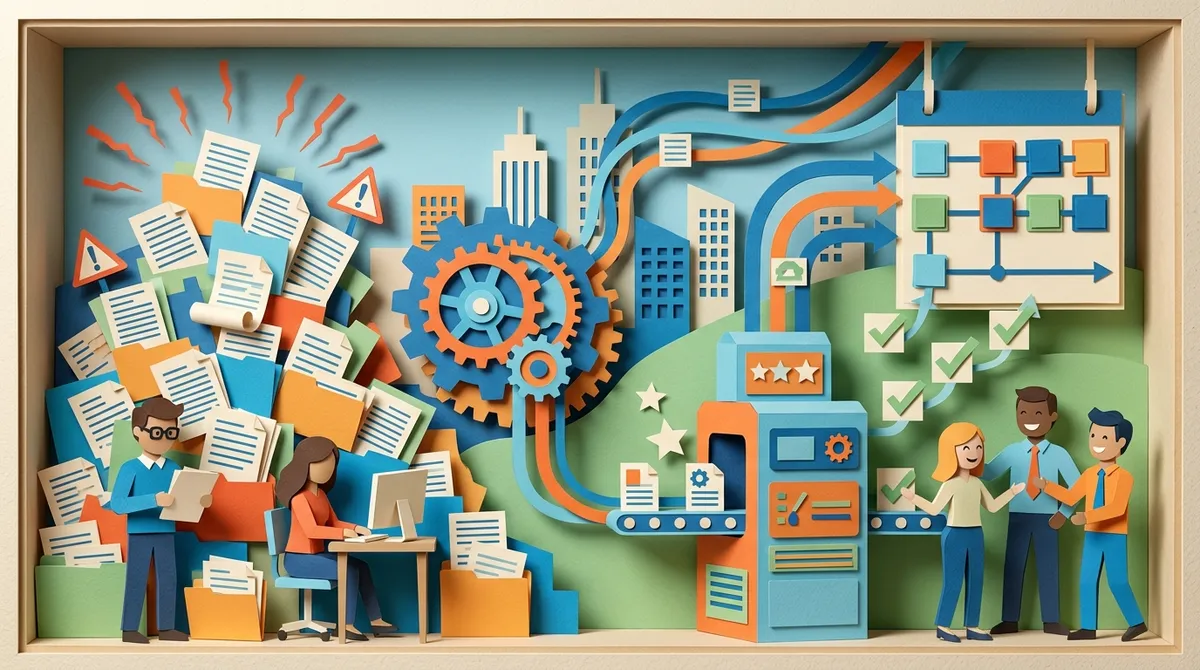
Second, managing reviews manually distracts from content creation. If your team spends ten hours per week handling reviews, that is ten hours not spent researching keywords, writing articles, or optimizing pages. Automation reclaims this time for higher-value SEO work.
Third, review data informs content topics. Customer feedback reveals what people care about, what confuses them, and what language they use. A restaurant might discover customers frequently ask about gluten-free options in reviews. This insight could inspire a blog post about “Our Complete Gluten-Free Menu for 2026” that targets search traffic and addresses a common customer question.
Time Savings for Content-Focused Teams
A typical business receives ten to fifty reviews per month across all platforms. Manually responding to each review takes five to ten minutes when you factor in reading, drafting, editing, and posting. That adds up to one to eight hours monthly just on responses.
Add review monitoring, which requires checking multiple platforms daily. Add review request management, which means tracking customers and sending invitations. The total time investment easily reaches ten to fifteen hours monthly for a single-location business. Multi-location brands face multiples of this workload.
Automatic review management reduces this to one to two hours monthly for oversight and handling escalated cases. The time savings can be redirected to SEO content production. For a content team, this means writing two to four additional blog posts monthly or conducting deeper keyword research.
Scaling Reputation Management Without Headcount
Growing businesses face a review volume problem. As you add locations, services, or customers, review volume grows proportionally. Handling this manually requires hiring dedicated reputation managers or burning out existing staff.
Automation allows you to scale review management without adding headcount. Whether you manage one location or one hundred, the automation handles the volume. Your team’s role shifts from doing the work to overseeing the system and handling exceptions.
For agencies managing multiple clients, this scalability becomes critical. An agency with twenty clients might need to monitor 500+ reviews monthly across 100+ locations. Manual management is impossible at this scale. Automation makes it feasible with a small team.
Best Practices for Review Automation
While automation handles repetitive tasks, success requires strategic setup and ongoing oversight. Here are the practices that deliver the best results:
Maintain Human Oversight
Never set automation to fully autopilot. AI-generated responses should go through human approval, especially in the beginning. Review the drafts, ensure they match your brand voice, and make edits before publishing. Over time, as the AI learns your preferences, you can reduce oversight for routine positive reviews while maintaining it for negative or complex feedback.
Human oversight also ensures compliance. Some platforms have policies about automated responses. Google allows businesses to automate review requests and responses, but the content should remain authentic and avoid spam-like repetition. Human review ensures you stay within policy boundaries.
Customize Response Templates
Generic responses feel robotic and fail to build genuine connections. Customize your templates to include specific details customers mentioned. If a review praises your “friendly cashier Maria,” the response should acknowledge Maria by name. This personalization makes automation feel human.
Create different templates for different review types and sentiment levels. A five-star review deserves an enthusiastic thank-you. A three-star review needs acknowledgment of mixed feelings and invitation for feedback. A one-star review requires empathy, apology, and clear next steps. Tailored templates help automation maintain appropriate tone.
Set Clear Escalation Rules
Define which reviews require human attention and which can be handled by AI. Common escalation triggers include:
- Reviews with one or two stars that mention specific problems
- Reviews that include legal language or threats
- Reviews from identifiable VIP customers or influencers
- Reviews mentioning competitors or comparing services
- Reviews with factual errors that need correction
Clear rules ensure nothing falls through the cracks while allowing automation to handle the bulk of routine responses. This balance maintains quality without sacrificing efficiency.
Use Review Data to Guide Content
Your automated review system collects valuable data about what customers care about. Export this data monthly and analyze it for content opportunities. Look for frequently mentioned topics, common questions, and recurring praise or complaints.
If customers consistently mention “fast installation” in positive reviews, create content showcasing your installation process. If they ask about warranty coverage, write a detailed blog post explaining your warranty terms. This approach ensures your SEO content addresses real customer interests rather than guessed topics.
If you are looking for a better way to manage your SEO content production, explore SEO Rocket’s automated content solution that handles keyword research, writing, and publishing while you focus on strategy.
Common Mistakes to Avoid
Review automation offers major benefits, but implementation mistakes can undermine results. Watch out for these common errors:
Over-Automating Negative Review Responses
Negative reviews require careful, personalized responses. Using generic AI responses for complaints makes customers feel dismissed. They already had a bad experience. A robotic response compounds their frustration.
Always have humans review and personalize responses to negative feedback. Take time to address specific concerns, offer genuine apologies, and provide clear resolution paths. This approach can turn a negative review into a positive story about your customer service.
Ignoring Platform-Specific Policies
Different review platforms have different rules about automation. Google allows automated review requests but emphasizes authenticity in responses. Yelp explicitly prohibits soliciting reviews from customers. Industry-specific platforms may have their own guidelines.
Before implementing automation, research each platform’s policies. Configure your system to respect these rules. Violating policies can result in review removal, profile penalties, or platform bans that hurt your SEO and reputation.
Failing to Monitor System Performance
Set up your automation and then check in regularly. Review response rates, customer satisfaction with responses, and review volume trends. If response quality drops or customers complain about impersonal replies, adjust your templates or increase human oversight.
Monitor technical performance too. Ensure review invitations are actually being delivered, platform integrations are working correctly, and notifications are reaching the right team members. Technical glitches can cause you to miss important reviews or fail to send invitations, undermining your automation goals.
Neglecting Brand Voice Consistency
AI can mimic your brand voice, but only if you train it properly. If your brand is casual and friendly, ensure response templates match that tone. If your brand is professional and formal, configure accordingly.
Review and update templates quarterly. As your brand evolves, your review responses should evolve with it. Inconsistent tone creates confusion and makes automated responses obvious to customers.
Tools and Platforms for Review Automation
Several platforms offer automatic review management capabilities. While we will not dive into specific competitor comparisons, here are the categories and features to consider when evaluating options:
All-in-One Reputation Management Platforms
These tools handle review collection, monitoring, responding, and reporting in one system. They integrate with major review sites and offer AI-powered response drafting. Best for businesses that want comprehensive automation and are willing to invest in a dedicated reputation tool.
Local SEO Platforms with Review Features
Some local SEO tools include review management as part of a broader feature set. These platforms help you manage Google Business Profile listings, track local rankings, and handle reviews from one dashboard. Best for businesses that need local SEO tools and want review automation bundled in.
CRM Systems with Review Automation
Customer relationship management platforms increasingly offer review automation features. They send review requests based on CRM triggers and centralize feedback. Best for businesses that already use a CRM and want to keep review management within their existing system.
Standalone Review Request Tools
These focused tools specialize in automating review invitations through email and SMS. They maximize review volume but may not include comprehensive monitoring or response features. Best for businesses primarily focused on increasing review quantity rather than full reputation management.
When choosing a tool, prioritize features that match your specific needs. A single-location business needs different capabilities than a multi-location enterprise or agency managing multiple clients. Consider integration with your existing tech stack, ease of use for your team, and scalability as you grow.
Integrating Review Automation with SEO Content Workflows
For maximum impact, connect your review automation to your broader SEO content strategy. Here is how to make that integration seamless:
Create a Monthly Review Analysis Routine
Schedule time monthly to analyze review data from your automation platform. Look for patterns in customer feedback, extract common keywords and phrases, and identify topics that appear frequently. Use this analysis to inform your content calendar.
If you notice customers asking about a specific service feature in reviews, add a blog post explaining that feature to your editorial calendar. If they praise a particular benefit, create content that highlights and expands on that advantage. This ensures your SEO content stays aligned with actual customer interests.
Use Reviews as Social Proof in Content
Your automated review system collects positive feedback continuously. With customer permission, incorporate standout reviews into blog posts, case studies, and service pages. This social proof enhances content credibility and provides unique, user-generated content that search engines value.
For example, a blog post about “How Our Service Helps Busy Professionals” could include a customer review quote from a professional describing their experience. This makes the content more relatable and trustworthy while diversifying content types on your site.
Build FAQ Content from Common Review Questions
Customers often use reviews to ask questions or express confusion about specific aspects of your service. These questions reveal gaps in your content. Create FAQ sections, dedicated blog posts, or service page expansions that directly answer these common questions.
A software company might notice reviews frequently asking about integration capabilities. This signals the need for detailed integration documentation and blog content about connecting with popular tools. Addressing these questions proactively improves user experience and captures search traffic from people researching the same topics.
Want to streamline your entire SEO content production process? Start your free trial with SEO Rocket and see how automation handles everything from keyword research to daily publishing.
Measuring Review Automation Success
Track specific metrics to ensure your review automation delivers results. Focus on these key performance indicators:
Review Volume Trends
Monitor the total number of reviews received monthly. After implementing automation, you should see an increase as automated invitations reach more customers. Track volume by platform to identify which channels perform best and where you might need to adjust your approach.
According to recent data, businesses using automated review requests see a 50% increase in review volume compared to manual request methods. This increase directly correlates with improved local search visibility and higher conversion rates.
Response Rate and Speed
Measure what percentage of reviews receive responses and how quickly you respond. Industry benchmarks suggest responding to at least 80% of reviews within 24-48 hours. Automation should help you exceed these benchmarks by eliminating manual delays.
Fast response times improve customer satisfaction and signal active management to both customers and search engines. Track your average response time and work to minimize it through efficient automation workflows.
Sentiment Distribution
Use your automation platform’s sentiment analysis to track the distribution of positive, neutral, and negative reviews over time. You want to see positive reviews increasing and negative reviews decreasing as you address customer feedback and improve service.
If negative reviews remain consistent or increase despite your improvements, dig into the specific complaints. This indicates systematic issues that need operational attention, not just better response management.
Local Search Performance
Connect review automation to your local SEO results. Track your Google Business Profile views, search appearances, and direction requests. As review volume and engagement increase, these metrics should improve.
For businesses targeting local search, review automation should contribute to higher rankings in map pack results and increased click-through rates from local search results pages. Monitor these outcomes to validate your automation investment.
The Future of Review Automation
Review automation continues to evolve with advancing AI capabilities and changing customer expectations. Here are the trends shaping the future:
More Sophisticated AI Response Generation
AI models are becoming better at understanding context, emotion, and nuance. Future review automation will generate responses that are increasingly indistinguishable from human-written replies. These systems will better handle complex negative reviews, detect sarcasm, and adapt tone based on review sentiment.
Natural language processing improvements will also enable better extraction of actionable insights from reviews. AI will identify not just sentiment but specific operational issues, competitive comparisons, and improvement opportunities with minimal human analysis.
Integration with Voice and Video Reviews
As customers increasingly leave voice and video reviews on platforms like Google, TikTok, and industry-specific sites, automation tools will need to process these formats. Future systems will transcribe audio, analyze video content, and generate appropriate multimedia responses.
This expansion beyond text reviews creates new opportunities for content teams. Video testimonials can be incorporated into blog posts and service pages, providing rich media that enhances SEO and user engagement.
Predictive Review Management
Advanced automation will predict which customers are likely to leave negative reviews based on interaction patterns and satisfaction signals. Systems will proactively reach out to address concerns before customers go public with complaints. This preventive approach protects your reputation and reduces negative review volume.
Predictive tools will also identify your most satisfied customers and optimize invitation timing to maximize positive review conversion. Machine learning will continuously refine these predictions based on your specific customer base and industry patterns.
Should You Automate Review Management
For most businesses focused on SEO content automation, the answer is yes. Review automation delivers clear time savings, improves consistency, and supports your local SEO efforts. The key is implementing it strategically with appropriate human oversight.
Start by evaluating your current review management workload. If you spend more than five hours monthly on reviews, automation will deliver immediate value. If you manage multiple locations or plan to scale, automation becomes essential rather than optional.
Choose a platform that aligns with your specific needs and integrates with your existing systems. Invest time in proper setup, including customized response templates and clear escalation workflows. Monitor performance monthly and adjust as needed.
Remember that automation handles the repetitive tasks but does not replace human judgment and empathy. The goal is not to remove humans from review management but to free them from tedious work so they can focus on strategic oversight and exceptional customer experiences.
As you build your SEO content strategy, think of review automation as a supporting tool that protects your reputation while freeing up time for content creation. The reviews you collect become content assets. The time you save can be invested in producing blog articles that drive organic traffic. The insights you gain inform smarter content decisions.
For SEO content teams in 2026, automatic review management is not about replacing human work. It is about scaling your reputation management to match your growth while keeping your team focused on what drives results: creating content that ranks and converts.
If you want to see how end-to-end automation can transform your entire SEO content operation, contact our team to learn how SEO Rocket handles everything from keyword research to daily publishing, giving you back the time to focus on strategy and growth.
FAQs
Q: What is automatic review management in SEO?
A: Automatic review management uses software and AI to collect, monitor, and respond to customer reviews with minimal manual work. For SEO content teams, it saves time by automating repetitive review tasks while supporting local search rankings through increased review volume, faster responses, and consistent engagement across platforms.
Q: How does AI review management help local SEO?
A: AI review management boosts local SEO by increasing review volume through automated invitations, improving response rates and speed, and maintaining fresh user-generated content on your Google Business Profile. These signals help search engines see your business as active and trustworthy, which improves local search rankings and visibility.
Q: Can you automate Google review requests and responses?
A: Yes, you can automate both Google review requests and responses. Google allows businesses to send automated review invitations through email or SMS after customer interactions. You can also use AI to draft responses to reviews, though it is best practice to have humans review and approve responses to maintain authenticity and comply with Google’s policies.
Q: Is automated review management allowed by Google?
A: Yes, Google allows automated review management as long as responses remain authentic and do not violate spam policies. You can automate review requests and use AI to help draft responses, but Google expects responses to feel genuine and personalized rather than robotic or repetitive. Human oversight helps ensure compliance with platform guidelines.
Q: How do you use review automation without sounding robotic?
A: To avoid sounding robotic, customize response templates with specific details from each review, train your AI on your brand voice, and maintain human oversight for final approval. Reference customers by name when mentioned, acknowledge specific praise or concerns they raised, and vary your language across responses instead of using identical templates for similar reviews.




