

Key Takeaways
-
Start with free Google Search Console and Google Analytics before buying any paid tools—they form the essential foundation showing how people find your site and what they do once they arrive.
-
SEO content automation platforms can reduce article creation from 3-5 hours manual work to minutes of review time, cutting costs from $150-$500 per article to roughly $3 per article at scale.
-
Small businesses need tools that work together in one workflow (keyword research, content writing, optimization, publishing) rather than separate platforms, because managing spreadsheets across five different tools wastes your most valuable resource: time.
-
Google rewards sites publishing helpful, consistent content regularly—one well-researched blog post takes 3-5 hours manually, making daily publishing impossible without automation for small teams.
-
AI-generated content ranks on Google if it's helpful and accurate; the key is human review before publishing, which quality platforms make quick with real-time SEO scoring and fix suggestions built in.
-
A full SEO content automation platform ($99/month) often costs the same as a single add-on from larger suites while delivering complete keyword-to-publish automation, making it better value for businesses watching every dollar.
Running a small business means you wear about ten different hats before lunch. You are the accountant, the customer service rep, and yes, the marketing team too. So when someone tells you to “just do SEO,” it can feel like one more impossible task on a never-ending list. Good news: you do not need a giant budget or a marketing degree to get this right. You just need the right tools working together, and a clear plan for how they fit into your day.
This guide walks you through the best SEO tools for small businesses in 2026, from free must-haves to smart paid platforms that save you hours every week. We will also show you how SEO content automation fits into the picture, because writing blog posts by hand every week is simply not realistic for most small teams. By the end, you will know exactly which tools deserve a spot in your toolkit and why.
Why Small Businesses Need a Different SEO Toolkit
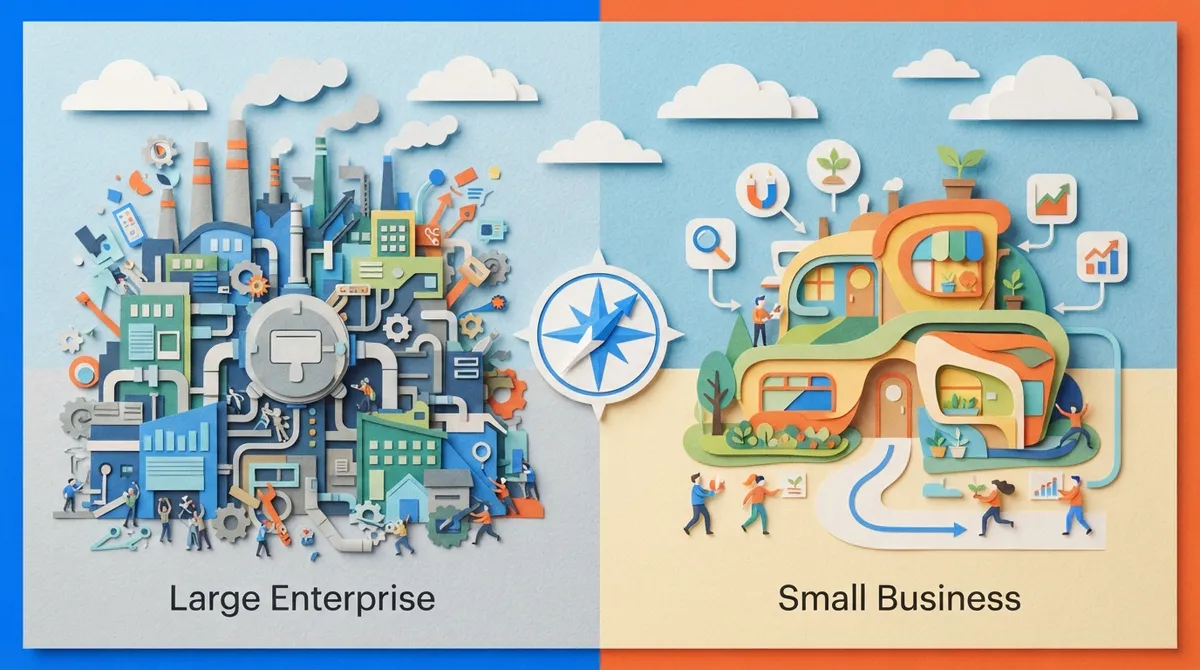
Big companies often have entire departments dedicated to SEO. They can afford separate tools for keyword research, technical audits, content writing, and reporting. Small businesses do not have that luxury. You need tools that do more with less, and ideally, tools that talk to each other.
The good news is that SEO has become much more approachable. Many platforms now combine keyword research, content planning, and publishing into single dashboards. This matters because your time is your most valuable resource. Every hour spent manually building spreadsheets is an hour you are not spending with customers or growing your business.
What to Look For Before You Buy Anything
Before picking any tool, it helps to break your SEO needs into separate jobs. Trying to find one magic tool that does everything perfectly usually leads to disappointment. Instead, think about these core tasks:
- Keyword research and search intent analysis
- Technical site audits (broken links, slow pages, missing tags)
- Local SEO management (reviews, listings, maps)
- Content planning and writing
- Publishing and CMS integration
- Rank tracking and performance reporting
Once you know which tasks matter most to your business, it becomes much easier to compare tools fairly. A great guide on this topic is our SEO Content Writing: A Beginner’s Guide for 2026, which breaks down these fundamentals in plain language.

The Free Foundation Every Small Business Should Start With
Before spending a dollar, set up these free tools. They are non-negotiable, and thankfully, they cost nothing but a little setup time.
Google Search Console
Google Search Console shows you exactly how Google sees your website. You get real data on which search terms bring visitors, how many people click your listings, and whether your pages are properly indexed. It also flags technical issues like broken pages or slow-loading content, based on Core Web Vitals.
Google Analytics
While Search Console tells you how people find you, Google Analytics tells you what they do once they arrive. Do they stay and read? Do they leave right away? Do they fill out your contact form or make a purchase? This data helps you understand which content actually drives results, not just clicks.
Together, these two free tools form the backbone of any small business SEO strategy. Everything else you add should support and expand on the insights these tools give you.
Paid SEO Platforms Worth Considering
Once you have your free foundation in place, a paid platform can help you move faster and dig deeper. Here is a quick comparison of the tool categories small businesses commonly consider.
| Tool Type | Best For | Typical Monthly Cost | Limitation |
|---|---|---|---|
| All-in-one SEO suite | Keyword research, audits, rank tracking | $100+ per month | Content writing often limited or separate add-on |
| Technical crawler | Finding broken links, duplicate pages, redirects | Free to $200/month | Does not create or plan content |
| Local SEO toolkit | Google Business Profile, reviews, citations | $30+ per month | Narrow focus, needs pairing with other tools |
| SEO content automation platform | Keyword discovery, writing, optimizing, publishing | $99+ per month | Best when reviewed by a human before publishing |
One example of a broad paid option is Semrush, which offers keyword research, competitor analysis, and site auditing in one place. Its classic Pro plan is listed at $139.95 per month, or around $117.33 per month if billed yearly, and includes up to 5 projects with 500 tracked keywords. Higher tiers unlock more projects, more keywords, and additional content tools, though pricing and limits can shift, so always check the provider’s current pricing page before you commit.
For technical audits specifically, a dedicated crawler tool is often better suited than an all-purpose suite. These crawlers dig through your site looking for broken links, duplicate content, missing metadata, and redirect chains. This kind of technical health check matters even more once you start publishing content daily, since technical issues can quietly hold back otherwise great articles.
Why Content Automation Belongs in Your SEO Stack
Here is the part that trips up most small businesses. You can have perfect keyword research and a spotless technical setup, but if you are not publishing helpful, consistent content, none of it matters much. Google rewards sites that regularly answer real questions their audience is asking.
The problem is time. Writing one well-researched, properly optimized blog post can take three to five hours when done manually. Multiply that by 30 posts a month, and you can see why so many small business blogs go quiet after a few weeks.
How SEO Content Automation Actually Works
SEO content automation platforms connect the dots between keyword research and publishing. Instead of jumping between five different tools, everything happens in one workflow:
- The platform discovers keyword opportunities using live search data
- Keywords get grouped by topic and search intent
- A content calendar schedules articles automatically
- Full articles are generated with on-page SEO already built in
- Content publishes directly to your website on a consistent schedule
- Performance gets tracked so you know what is working
This is exactly the approach behind SEO Rocket’s automated workflow. Instead of managing spreadsheets or hiring a full-time writer, you connect your website, review keyword opportunities, and approve a content calendar. From there, SEO Rocket handles the research, writing, optimization, and publishing automatically, producing one long-form article per day for standard plans.
For agencies managing several client sites, this kind of automation is even more valuable. Instead of hiring more writers to keep up with client demand, one team can manage dozens of active content calendars at once. If you want to see how this looks in practice, check out our guide to content automation software.
Comparing Manual SEO Work vs. Automated Tools
It helps to see the difference side by side. Here is how the two approaches typically compare for a small business with limited staff.
| Task | Manual Approach | Automated Approach |
|---|---|---|
| Keyword research | 2-4 hours per week using spreadsheets | Automatic discovery with live data |
| Content writing | 3-5 hours per article | Generated same day, reviewed in minutes |
| Publishing schedule | Inconsistent, often skipped | Daily publishing on autopilot |
| Cost per article | $150-$500 with freelancers | Roughly $3 per article at scale |
The cost difference alone explains why so many small business owners are shifting toward automation. Traditional agencies often charge between $3,000 and $5,000 per month for content services. A content automation platform can deliver similar consistency for a fraction of that price, which frees up budget for other parts of your business.
What About AI Search Engines, Not Just Google
Search behavior is changing fast. More people now ask questions directly inside tools like ChatGPT, Perplexity, and Gemini instead of typing into a traditional search bar. This means your content strategy needs to think beyond ranking on Google alone.
Content that is well-structured, clearly written, and directly answers a question tends to perform better across these AI systems too. Our article on improving your AI search visibility in 2026 covers this shift in more detail, and it is worth understanding before you build your content plan.
Steps to Choose the Right SEO Tools for Your Business
Feeling a bit overwhelmed by all the options? Here is a simple step-by-step process to narrow things down.
- Set up Google Search Console and Google Analytics first, they are free and essential
- List your biggest SEO pain point, whether it is technical issues, content, or local visibility
- Choose one dedicated tool to solve that specific problem
- Add a content automation platform once you are ready to publish consistently
- Review your keyword and traffic data monthly, then adjust your plan
This step-by-step approach keeps you from buying five tools at once and never fully using any of them. Start small, prove what works, then expand.
Keeping Quality High With Automated Content
A common worry with automated content is quality. Will it sound robotic? Will Google penalize it? The truth is that Google does not punish content simply because AI helped write it. What matters is whether the content is helpful, accurate, and written for real people, a standard clearly laid out in Google’s Search Quality Rater Guidelines.
That said, smart automation should still support human oversight, not replace it entirely. Look for platforms that include:
- Real-time SEO scoring with clear fix suggestions
- Built-in internal and external linking
- Unlimited rewrites so you can adjust tone or facts easily
- Direct publishing to your CMS, whether that is WordPress, Shopify, Webflow, or Wix
- A visual content calendar so you always know what is coming next
SEO Rocket includes all of these features, along with auto-generated images and AI-optimized metadata for every article. You can explore the full feature set and see real writing examples before making a decision.
Pricing Snapshot for Small Business Budgets
Budget is always top of mind for small business owners, so here is a simple breakdown of what you might expect to pay across different tool categories.
- Free tools (Search Console, Analytics): $0 per month
- Basic technical crawler: Free to $200 per month depending on site size
- Local SEO add-on: Around $30 per month
- Content marketing add-on for existing SEO suites: Around $60 per month
- Full SEO content automation platform: Around $99 per month for roughly 30 long-form articles
Notice how a full content automation platform can cost about the same as a single add-on from a larger suite, while delivering complete keyword-to-publish automation. That is a meaningful difference for a business watching every dollar. If you want to see exact plan details, the pricing page lays it all out clearly, including the agency plan for teams managing multiple clients.
Common Mistakes Small Businesses Make With SEO Tools
Even with the right tools, a few common mistakes can slow down your results. Watch out for these:
- Buying an expensive suite before setting up free tools first
- Publishing content inconsistently instead of on a steady schedule
- Ignoring technical issues that quietly block your rankings
- Skipping human review on automated content
- Never checking performance data to see what is actually working
Avoiding these mistakes matters more than picking the single “perfect” tool. Consistency and follow-through beat perfection every time in SEO. For more on this, our post on SEO content automation mistakes that kill your rankings is a helpful read.
Bringing It All Together
The best SEO tools for small businesses are not necessarily the most expensive or the most complicated. They are the ones that match your actual workflow, save you real time, and help you publish helpful content consistently. Start with the free foundation of Search Console and Analytics. Add a technical crawler if your site has issues. Consider a local SEO toolkit if you serve customers nearby. And when you are ready to stop worrying about writing and publishing, an SEO content automation platform can take that entire job off your plate.
You do not have to build this system alone or figure it all out through trial and error. SEO Rocket connects to your website in under ten minutes, builds your content calendar automatically, and publishes SEO-optimized articles every single day without you lifting a finger. If you are ready to see what consistent, automated content can do for your traffic, you can start for $99 a month or sign up today and try it for yourself. For more tips and updates, feel free to read our blog anytime.
FAQs
Q: What are the best free SEO tools for small businesses?
A: Google Search Console and Google Analytics are the two must-have free tools every small business should set up first. They show you how people find your site, what they do once they arrive, and where technical issues might be holding you back. Think of them as your free foundation before you spend a single dollar on anything else!
Q: Which SEO content automation tool is best for a small business website?
A: Look for a platform that connects keyword research, writing, optimization, and publishing into one simple workflow. SEO Rocket is built exactly for this, handling everything from keyword discovery to daily publishing so you do not have to juggle five separate tools. It is a great fit if you want consistent content without hiring a full content team.
Q: Can AI-generated content rank on Google?
A: Yes, absolutely! Google cares about whether content is helpful and accurate, not whether AI played a role in writing it. The key is making sure someone reviews the content for quality and factual accuracy before it goes live, which good automation platforms make easy.
Q: Is Semrush worth the cost for a small business?
A: It can be, especially if you need deep keyword research, competitor analysis, and site auditing in one place. Its classic Pro plan runs around $139.95 per month, so it is worth comparing that cost against your actual needs before committing. Many small businesses find a lighter combination of free tools plus a focused content automation platform gets them further for less.
Q: What should I check before automatically publishing AI-generated articles?
A: Always give your content a quick human review before it goes live, checking for accuracy, tone, and anything specific to your business. Good platforms also include real-time SEO scoring and fix suggestions, which make this review step quick and painless. It is a small step that protects your site’s reputation and keeps quality high.




