

Key Takeaways
-
Search optimization software automates repetitive SEO tasks like keyword research, content planning, and publishing, saving hours per week while requiring human review to ensure accuracy and quality.
-
Built-in keyword research with search volume and competition data, combined with search intent analysis, helps you pick topics with real opportunity and match what searchers actually want.
-
A content calendar, briefs, and outlines keep your publishing steady and organized, which search engines favor; consistency compounds results over weeks and months.
-
AI-assisted content ranks in Google if it's helpful, accurate, and useful to readers—quality matters most; always review AI drafts for facts and originality before publishing.
-
Direct CMS integrations (WordPress, Webflow, Shopify, Wix) and performance tracking close the gap between research and published results, letting you measure ROI through impressions, clicks, and rankings.
-
Different teams benefit differently: agencies scale client work, content managers handle large blogs efficiently, and small businesses get affordable frequent publishing at roughly $3 per article.
Let’s be honest. Running an SEO blog by hand is a lot of work. You research keywords, write drafts, add links, fix metadata, and hit publish. Then you do it all again tomorrow. It is easy to burn out.
That is where search optimization software steps in. In SEO content automation, this kind of tool uses search data and smart workflows to help you plan, write, improve, publish, and track content. It saves hours of repeat work. It does not replace your good judgment, and it cannot promise a #1 ranking. But it can make your whole process smoother and more steady.
In this friendly guide, we will walk through 10 features worth looking for. Whether you run a small agency, manage a big blog, or own a small business, you will find ideas you can use today. Let’s dive in!

What Is Search Optimization Software?
Search optimization software helps you get more organic traffic from search engines. In the content world, it connects research to action. It finds what people search for, helps you build content around it, and checks how that content performs.
Think of it like a helpful assistant who never gets tired. It does the boring, repeat tasks so you can focus on ideas, brand voice, and facts. Good search optimization software supports your editorial judgment. It does not take its place.
One important note: Google does not ban AI-assisted content. Its guidance focuses on whether content is helpful, accurate, and useful to people. Pumping out lots of pages with little value can break its rules on scaled content abuse. So quality still matters most. You can read more about that in the Search Quality Rater Guidelines.
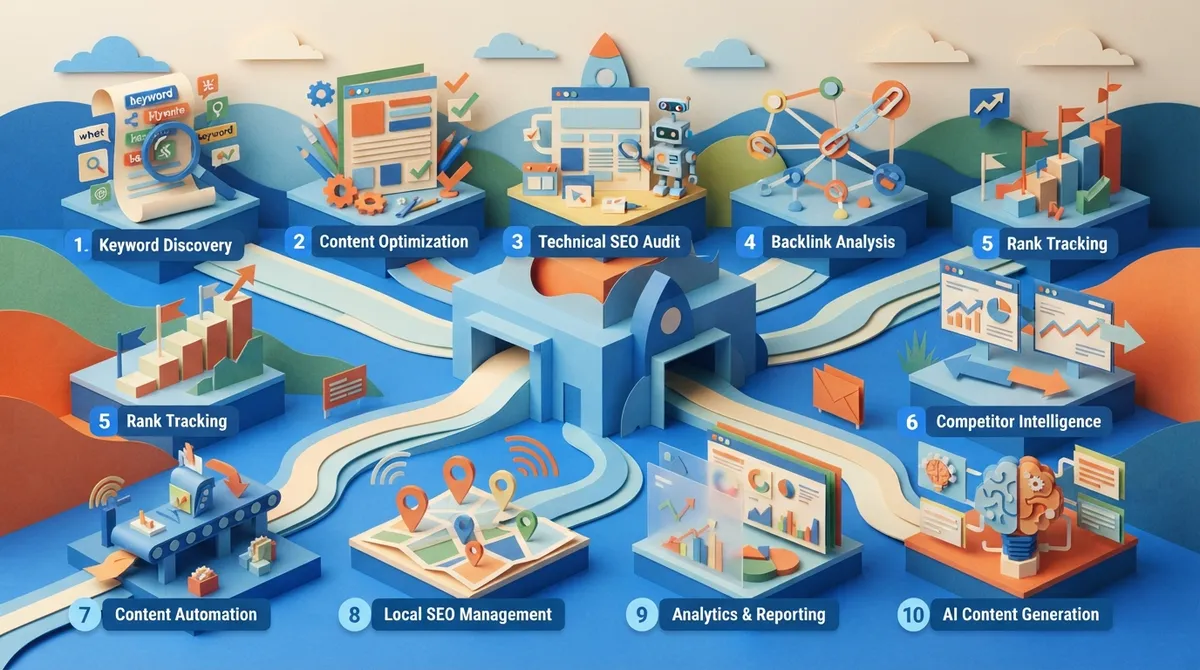
10 Features Every Search Optimization Software Should Have
1. Built-In Keyword Research
Guessing what to write about is a recipe for wasted time. The best tools show you real keyword data, such as search volume, competition, and intent. That way you pick topics with real opportunity.
Look for keyword discovery that also groups related terms into clusters. Clusters help you cover a topic fully instead of writing one-off posts. If you want to go deeper, our guide on how to master keyword research for 2026 SEO success is a great next read.
2. Search Intent Analysis
Ranking is not just about using the right word. It is about matching what the searcher wants. Does the person want a how-to guide, a list, or a product page? Good software looks at the pages already showing up and helps you match that intent.
This saves you from writing a great article that answers the wrong question. For more on this, see how to master search intent optimization.
3. Automated Content Planning and Calendar
Spreadsheets get messy fast. A built-in content calendar keeps your plan in one place. You add a keyword, pick a date, and the tool schedules the article.
This is a big win for teams with tight deadlines. You can plan weeks or even months ahead and stop scrambling for ideas. It also keeps your publishing steady, which search engines like to see.
4. Content Briefs and Outlines
A strong brief makes a strong article. Good search optimization software builds briefs and outlines from your keyword and the top results. It suggests headings, related topics, and questions to answer.
Treat these as a starting point, not a rulebook. Copying competitor wording or hitting a set word count does not guarantee rankings. Use the brief to cover the topic well, then add your own expertise.
5. Draft Creation Support
Many tools now help write the first draft. This can cut hours from your week. The key is to review every draft for facts, voice, and originality before it goes live.
AI can slip in wrong details. A quick human check keeps your content honest and trustworthy. If you are curious about the options, check out our look at the best AI blog writer tools for 2026.
6. On-Page Optimization Recommendations
This feature checks your draft and offers tips. It may suggest better headings, related terms, or fixes for titles and meta descriptions. Some tools give a live score as you edit.
These tips are directional. Think of them as friendly nudges, not strict orders. Your goal is to be useful to the reader first.
7. Automated Internal Linking
Internal links help readers find more of your content. They also help search engines understand how your pages connect. Doing this by hand across hundreds of posts is tough.
Good software suggests links from your existing library as you publish. If you want to avoid common slips, read about internal linking strategy mistakes to avoid.
8. Metadata and Schema Support
Titles, meta descriptions, and structured data help search engines read your page. Software can draft these for you and keep them tidy. Always review them before you publish, since AI-written metadata can miss the mark.
9. CMS Publishing Integrations
Copying and pasting into your site wastes time. A good tool connects to your platform and publishes for you. This closes the gap between research and a live post.
The level of automation varies from tool to tool. Check which platforms you need, like WordPress, Webflow, Shopify, or Wix. Our guide on using CMS integration to automate your SEO content explains how this works.
10. Performance Tracking and Reporting
You cannot improve what you do not measure. Look for reporting on impressions, clicks, rankings, and conversions. These are the proven numbers that show if your content is working.
Some newer tools also track visibility in AI-generated search results. That is an exciting, growing area. Just judge it separately from the classic numbers for now. To see how this ties together, read how Google Analytics integration boosts your SEO content.
Quick Feature Comparison
Here is a simple table to help you see what each feature does and who benefits most.
| Feature | What It Does | Best For |
|---|---|---|
| Keyword research | Finds topics with real search demand | Everyone |
| Content calendar | Schedules articles ahead of time | Content managers |
| Briefs and outlines | Builds a clear plan for each post | Agencies and writers |
| Internal linking | Connects related pages | Large sites |
| CMS publishing | Posts content to your site | Busy teams |
| Reporting | Shows traffic and ranking results | Consultants and owners |
Who Gets the Most From Search Optimization Software?
Different teams use these tools in different ways. Here is how each group can win.
- Small SEO agencies: Serve more clients without hiring more people.
- In-house marketing teams: Cut production time when resources are tight.
- Content managers: Keep a large blog steady and on schedule.
- Digital marketing consultants: Deliver faster results and stand out.
- E-commerce SEO specialists: Handle large volumes of category and product content.
- Small business owners: Get a cost-friendly way to publish often.
How to Choose the Right Search Optimization Software
With so many options, picking one can feel like a lot. Follow these simple steps.
- List your goals. Do you need more traffic, faster output, or better reporting?
- Check the features. Make sure it covers research, planning, writing, and publishing.
- Test the setup. A tool that takes weeks to set up may slow you down.
- Review the quality. Ask for writing samples and look for real depth.
- Compare the cost. Divide the price by the number of articles you get.
- Plan for human review. Make sure you can edit and approve content.
You can also see real samples on the writing examples page to judge quality for yourself.
Why SEO Rocket Is a Smart Pick
If you want one tool that handles the whole process, SEO Rocket is built for that. It is an all-in-one SEO content platform that plans, writes, optimizes, and publishes blog articles for you. It turns SEO blogging into a system instead of a chore.
Here is what stands out:
- Built-in keyword research with live SEO data, so you see real opportunities.
- A visual content calendar that schedules one article per day.
- Long-form articles of around 3,000 words, optimized for Google and AI search.
- Direct publishing to WordPress, Webflow, Shopify, and Wix.
- Real-time SEO scoring with fix suggestions.
- Quick setup in under 10 minutes.
It also costs about $3 per long-form article, which is far less than most agencies charge. You can see how it works or check the pricing to find your fit. There is even a free 3-day trial to try it out.
Common Mistakes to Avoid
Even great tools can go wrong if used the wrong way. Watch out for these slips.
- Skipping human review. AI can miss facts. Always check before you publish.
- Chasing scores. A perfect score does not guarantee a top spot.
- Publishing thin content. Volume without value can hurt you.
- Ignoring your audience. Write for people first, search engines second.
For more cautions, take a look at SEO content automation mistakes that kill your rankings.
How to Measure Your Return
Good news: you can track ROI with simple numbers. Start by watching organic impressions and clicks. Then look at rankings for your target keywords. Finally, connect it to leads, sales, or revenue.
Give it time. SEO is a slow burn, and results build over weeks and months. Steady daily publishing tends to compound. For help on this, read how to generate organic traffic with SEO content automation.
Final Thoughts
Search optimization software can save you time, cut costs, and keep your content steady. The best tools combine research, planning, writing, and publishing in one place. Just remember that software supports your judgment. It does not replace it.
Ready to put SEO on a simple, steady system? Sign up for SEO Rocket and start your free trial today. If you have questions, you can always contact the team, check the roadmap, or read our blog for more tips.
FAQs
Q: What is search optimization software for SEO content automation?
A: It is a tool that uses search data and automation to help you plan, write, optimize, publish, and track content. It saves time on repeat tasks like keyword research and formatting. It supports your editorial judgment but does not replace it.
Q: Can AI-generated content rank in Google Search?
A: Yes, it can. Google does not ban AI-assisted content. It looks at whether the content is accurate, helpful, and useful to readers, so always review facts before you publish.
Q: Does content optimization software guarantee higher rankings?
A: No, and be wary of any tool that says it does. Software gives helpful, directional tips based on search data. Rankings still depend on content quality, your site, and many other factors.
Q: What features should an SEO content optimization platform include?
A: Look for keyword research, search intent analysis, a content calendar, briefs and outlines, on-page tips, internal linking, CMS publishing, and clear reporting. The more of the workflow it covers, the less you juggle.
Q: How should I measure the ROI of SEO content automation software?
A: Track organic impressions, clicks, and keyword rankings first. Then tie those to leads, sales, or revenue. Give it a few months, since SEO results build over time.




