Key Takeaways
-
Native integrations eliminate manual copy-paste workflows by automatically connecting your content tool, CMS, and analytics platforms, saving teams hours of busywork each week.
-
Native integrations built by vendors are faster to set up (minutes vs. days), require no developer skills, and offer better reliability than custom APIs or third-party connectors like Zapier.
-
Automated data flow between keyword research, content creation, publishing, and performance tracking reduces errors from manual handoffs and enables real-time reporting without jumping between multiple dashboards.
-
When evaluating SEO content automation platforms, prioritize relevance of integrations to your actual tech stack over total integration count, and confirm two-way data syncing for accurate reporting.
-
For agencies and consultants, native integrations enable faster client delivery by publishing content directly to CMS platforms and automatically pulling performance metrics from Google Search Console and GA4.
-
Setup quality matters more than feature quantity—look for platforms that connect to your specific CMS (WordPress, Webflow, Shopify), analytics tools, and collaboration apps within 10 minutes or less.
Ever spent a whole afternoon copying a blog post from one tool, pasting it into WordPress, then manually updating a spreadsheet to track it? Yeah, we’ve all been there. It’s a little soul-crushing. The good news is that native integrations can wipe out that entire mess of copy-paste chaos for good.
If you run a small agency, manage content for a busy in-house team, or juggle client sites as a consultant, this guide is for you. We’ll walk through what native integrations actually are, why they matter for SEO content automation, and exactly how to choose the right ones for your workflow. No tech degree required. Grab a coffee and let’s dig in.

What Are Native Integrations, Really?
Native integrations are connections built directly into a software platform. They let two tools talk to each other without you needing extra plugins, custom code, or a developer on speed dial.
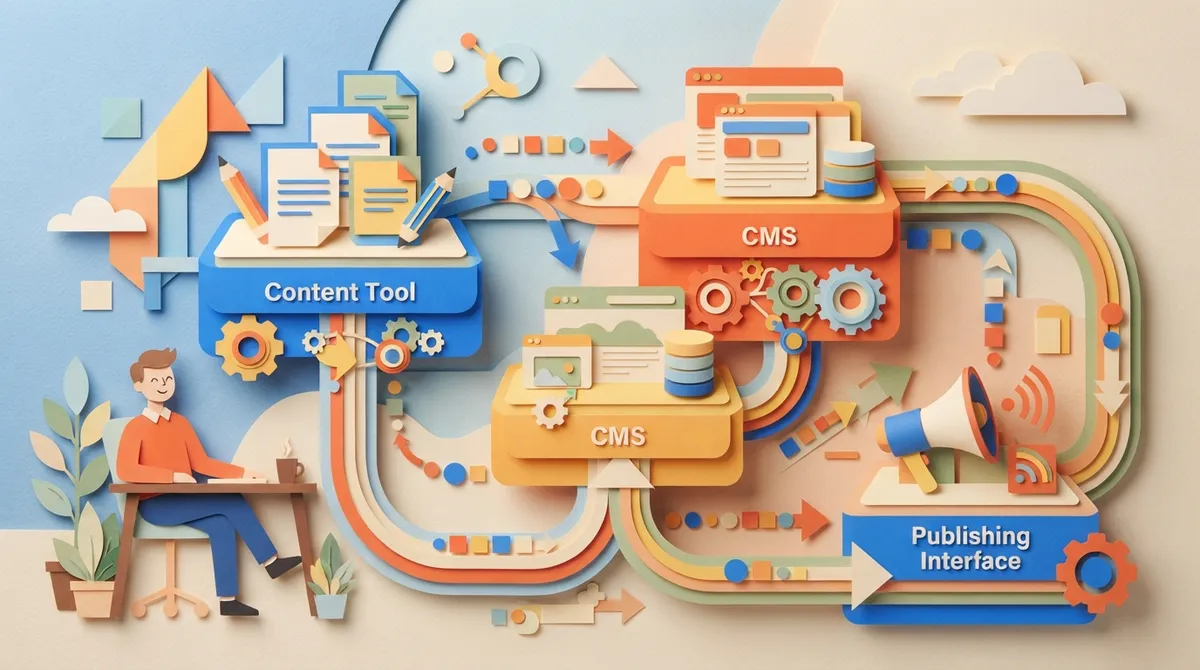
In SEO content automation, this usually means your content tool connects straight to your CMS, your analytics dashboard, or your project management app. No exporting files. No manual uploads. It just works.
This is different from a custom API setup or a third-party connector app. Those options can work well, but they usually take more setup time and more ongoing maintenance. Native integrations are built by the vendor, tested by the vendor, and ready to use the moment you connect your account.
Native Integrations vs APIs vs Zapier-Style Connectors
Let’s clear up some confusion here, because these terms get mixed up a lot.
- Native integrations: Built into the platform itself. Click a button, log in, and you’re connected.
- Custom APIs: Require a developer to write code that connects two systems. More flexible, but slower and pricier.
- Automation platform connectors: Third-party tools like Zapier that sit between two apps and pass data back and forth. Useful when native options don’t exist.
All three can get the job done. But native integrations usually win on speed, reliability, and ease of use, especially for teams without in-house developers.

Why Native Integrations Matter for SEO Content Teams
Here’s the honest truth: SEO content automation isn’t just about writing articles. It’s about connecting a bunch of moving pieces so nothing falls through the cracks.
Think about everything involved in publishing one blog post:
- Researching the right keyword
- Writing and optimizing the draft
- Getting approval from a client or manager
- Publishing it to your CMS
- Tracking how it performs in search
Without native integrations, each of these steps often means a manual handoff. Someone downloads a doc. Someone else uploads it somewhere else. Someone checks a different dashboard for results. It’s slow, and mistakes happen.
With native integrations, all of that connects automatically. Your keyword research feeds your content calendar. Your finished article publishes straight to your CMS. Your reporting tool pulls performance data without anyone lifting a finger.
Common Tools That Connect Through Native Integrations
Most SEO content automation platforms aim to connect with the tools teams already use every day. Some of the most common include:
- WordPress, Webflow, Shopify, and Wix for publishing
- Google Search Console and GA4 for performance tracking
- Semrush for keyword and competitor data
- Google Docs and Notion for drafting and collaboration
- Slack for team notifications and approvals
- Project management tools like ClickUp or Airtable
According to recent industry data, some content automation platforms now support thousands of connected apps. One 2026 platform listed support for over 5,000 integrations, and a separate directory cited 450 pre-built connections in a single workflow tool. That’s a lot of options, but more isn’t always better. What matters is whether the tool connects to what you actually use.
The Real Benefits of Native Integrations for Content Automation
Let’s talk about what this actually means for your day-to-day work. Because features are nice, but results are nicer.
1. Less Manual Work, More Actual Strategy
When publishing happens automatically, you get your time back. Instead of formatting posts and uploading images, you can focus on strategy, client relationships, or scaling your business.
2. Fewer Mistakes and Missed Steps
Manual handoffs are where errors sneak in. A missed approval. A wrong file version. A post that never actually gets published. Native integrations remove a lot of that risk by keeping everything in one connected system.
3. Centralized Reporting
When your SEO tool connects directly to Google Search Console and GA4, you get a real-time view of performance without jumping between five different tabs. This is huge for content managers tracking large sites with dozens or hundreds of pages.
4. Faster Client Delivery for Agencies
If you’re running a small agency, speed is everything. Clients want results, and they want them fast. Native integrations mean drafts move from research to publish without your team acting as the middleman for every single step.
How to Choose the Right Native Integrations
Not all integrations are created equal, and not every business needs the same setup. Here’s a simple process to figure out what you actually need.
- List your current tools. Write down your CMS, analytics platform, keyword research tool, and communication app.
- Check for direct connections. Look for SEO content automation platforms that already support those exact tools.
- Test the setup time. A good native integration should take minutes, not hours. Some tools claim setup in under 10 minutes.
- Confirm two-way syncing. Make sure data flows both ways, so performance updates show up automatically without manual refreshing.
- Review support and reliability. Integrations that break often cause more headaches than they solve. Check reviews or ask for a demo.
If you want to see how this looks in practice, it helps to review how it works before committing to any platform.
Native Integrations vs Custom Solutions: A Quick Comparison
| Factor | Native Integrations | Custom API or Connector |
|---|---|---|
| Setup Time | Minutes | Days to weeks |
| Technical Skill Needed | None | Developer required |
| Maintenance | Handled by vendor | Ongoing upkeep needed |
| Cost | Included in platform | Extra development cost |
| Reliability | Tested and supported | Depends on build quality |
For most small agencies, in-house teams, and solo consultants, native integrations win on almost every point. Unless you have a very specific, unusual workflow, there’s rarely a good reason to build something custom from scratch.
What to Look for in an SEO Content Automation Platform
When you’re comparing platforms, keep this checklist handy:
- Direct publishing to your CMS (WordPress, Webflow, Shopify, Wix)
- Built-in keyword research with live SEO data
- Native connections to Google Search Console and GA4
- Support for team collaboration tools like Slack or Notion
- Automated content calendars that don’t require spreadsheets
- Clear reporting dashboards without extra manual setup
This is exactly the kind of setup SEO Rocket was built around. Instead of juggling five different tools, you connect your site once, and the features handle keyword discovery, content planning, and publishing from one place. Setup typically takes under 10 minutes, and one full article gets scheduled and published every day, following SEO best practices for consistency.
A Simple 5-Step Workflow Using Native Integrations
Here’s what a typical week could look like once your integrations are set up correctly:
- Your keyword research tool surfaces new opportunities based on real search data.
- You add promising keywords to your content calendar.
- The platform automatically generates a full article using that keyword.
- The article publishes directly to your CMS on schedule.
- Performance data flows into your dashboard through Google Search Console and GA4.
No copy-paste. No spreadsheet chasing. No forgotten publish dates. Just a system that runs quietly in the background while you focus on bigger goals.
Why This Matters More in 2026
Search behavior keeps changing. People are getting answers from AI tools like ChatGPT, Perplexity, and Gemini, not just traditional search results. Teams need to publish consistently and connect their tools efficiently to keep up.
Native integrations help content teams stay agile. When your systems talk to each other automatically, you can adjust strategy quickly based on real performance data instead of guessing. This matters whether you’re managing one company blog or ten client accounts as an agency.
If you want to go deeper on how automation is reshaping content strategy, our blog covers plenty of related topics, from keyword clustering to AI search visibility.
Common Mistakes to Avoid
Even with great tools, teams sometimes trip over the same issues. Watch out for these:
- Choosing a platform based on integration count alone instead of relevance to your actual stack
- Ignoring two-way sync, which leads to outdated reporting
- Skipping a test run before fully committing your workflow
- Assuming all integrations perform equally well across different CMS platforms
- Forgetting to check support quality when something breaks
A helpful resource for understanding quality standards in content and search is Google’s own Search Quality Rater Guidelines, which outlines what search engines value in trustworthy, well-structured content.
Bringing It All Together
Native integrations aren’t just a technical nice-to-have. They’re the connective tissue that turns SEO content automation from a bunch of separate tasks into one smooth, reliable system. Whether you’re a solo consultant, a growing agency, or an in-house marketer stretched across ten projects, the right integrations save you real time and real money.
SEO Rocket connects with the CMS platforms and reporting tools you already use, so your keyword research, writing, and publishing all live in one place. You can check out real reviews from other teams, browse actual writing examples, or compare pricing plans to see what fits your team best. If you’ve got questions before diving in, the FAQs page covers most of what people ask, and you can always check the product roadmap or recent changelog to see what’s new. For anything else, the team is easy to reach through their contact page.
Ready to stop the copy-paste chaos for good? Start for $99/month and let native integrations handle the busywork while you focus on growth.
FAQs
Q: What are native integrations in SEO content automation?
A: Native integrations are built-in connections between your content tool and other apps like your CMS, Google Search Console, or GA4. They let data move automatically without you needing to copy, paste, or export files by hand.
Q: Why are native integrations important for content automation workflows?
A: They cut down on manual work and reduce mistakes that happen during handoffs. Instead of jumping between five different tools, your keyword research, writing, and publishing all connect in one smooth system.
Q: How do native integrations differ from APIs or Zapier-style connectors?
A: Native integrations are built directly into the platform and ready to use right away, no coding needed. APIs usually require a developer, while Zapier-style connectors sit in between two apps to pass data back and forth, which can add extra steps.
Q: Can native integrations help with content publishing and reporting?
A: Absolutely. Many SEO content automation platforms use native integrations to publish drafts straight to WordPress or Webflow, then pull performance data from Google Search Console and GA4 automatically, so you always have current numbers.
Q: What should agencies look for in SEO content automation integrations?
A: Agencies should look for fast setup, reliable syncing, and support for the exact tools their clients already use, like WordPress, Slack, or project management apps. Speed and consistency matter most when you’re managing multiple client accounts at once.