
Key Takeaways
-
Write at least 300 words of unique product descriptions per page instead of using thin or manufacturer copy-paste text to improve rankings and relevance.
-
Add descriptive copy to collection pages with one primary keyword each, internal links, and FAQ sections instead of leaving them as bare product grids.
-
Connect Google Search Console and Google Analytics to track performance data and identify which pages are losing rankings or underperforming before problems escalate.
-
Ensure technical SEO basics are covered: submit XML sitemap, configure canonical tags and robots.txt, and make all products reachable within three clicks from homepage.
-
Implement Product, Review, and BreadcrumbList schema markup to display star ratings, prices, and availability in search results, which improves click-through rates.
-
Maintain Core Web Vitals targets (LCP under 2.5 seconds, INP under 200ms, CLS under 0.1) by auditing and removing unused apps and heavy scripts that slow load times.
Running a Shopify store is exciting, but watching it sit invisible on page five of Google? Not so fun. If you have ever wondered why your beautifully designed collection pages aren’t bringing in traffic, you are definitely not alone. Shopify SEO mistakes are incredibly common, and the good news is that almost every single one is fixable once you know what to look for.
In this guide, we will walk through the nine biggest Shopify SEO mistakes that quietly hold stores back in 2026. Whether you run a small agency managing client stores, handle in-house marketing for an e-commerce brand, or you are a business owner trying to figure this out yourself, this article is for you. We will keep things simple, practical, and easy to act on today.

Why Shopify SEO Deserves Your Attention in 2026
Shopify SEO is the practice of optimizing your store so it ranks higher in search results and gets found by real buyers. Shopify’s own guidance breaks this into three areas: on-page SEO, technical SEO, and off-page SEO. Getting all three right is what separates stores that grow organically from stores that rely only on paid ads.
Search engines have also gotten smarter. In 2026, ranking well means combining strong content with clean technical setup and real performance data. Shopify recommends connecting Google Search Console and Google Analytics so you can actually see what is working. If you skip this step, you are basically driving blind.
Let’s get into the mistakes, one by one, so you can fix them fast.
Mistake 1: Ignoring Product Page Content Depth
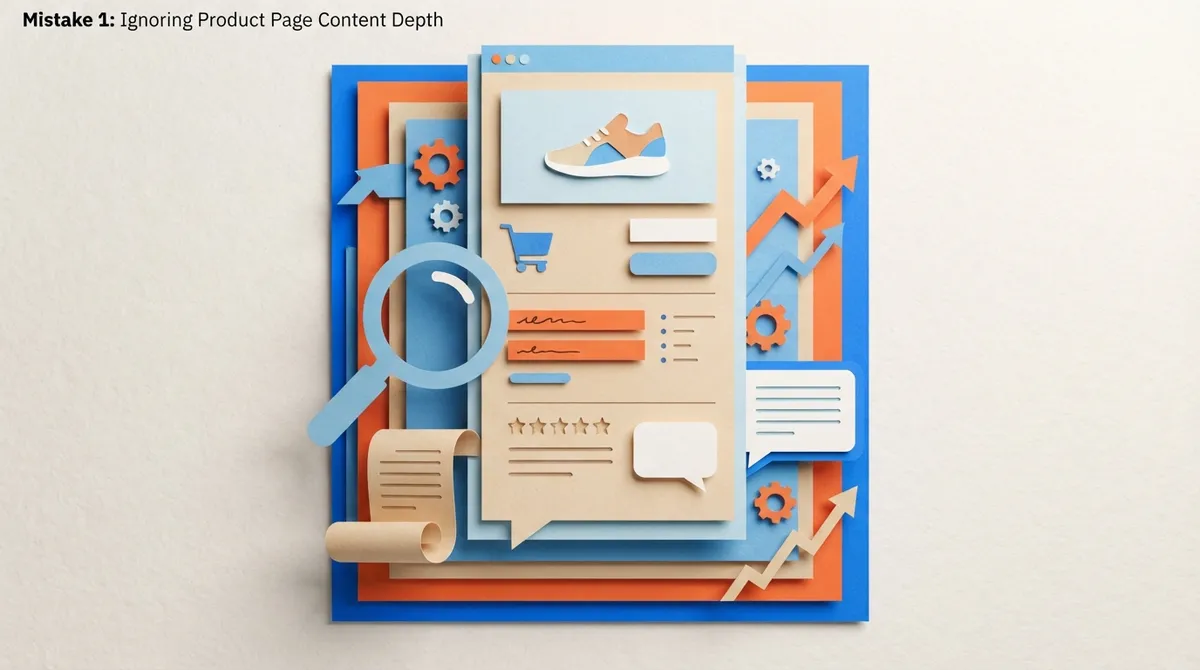
Thin, copy-paste product descriptions are one of the fastest ways to tank your rankings. Many 2026 guides recommend at least 300 words of unique copy per product page to build relevance and stand out from competitors selling the same items.
Here’s what strong product page content usually includes:
- A clear description of what the product does and who it’s for
- Specific details like materials, sizing, or use cases
- Natural mentions of your target keyword without stuffing
- A short FAQ addressing common buyer questions
- Unique phrasing instead of manufacturer copy-paste text
If writing hundreds of unique product descriptions sounds exhausting, that’s exactly the kind of repetitive task that automated content tools were built to solve. Learning how to use an AI SEO content writer to grow traffic can save your team dozens of hours every month.
Mistake 2: Treating Collection Pages as an Afterthought
Collection pages are some of the most important SEO landing pages on your entire store. Yet so many stores leave them with just a product grid and zero written content. That’s a missed opportunity.
Current 2026 guidance recommends mapping one primary keyword to each collection page, then supporting it with descriptive copy above or below the product grid. This helps search engines understand exactly what the page is about, and it gives shoppers useful context too.
What a Strong Collection Page Includes
- A short intro paragraph explaining what the collection offers
- Naturally placed keywords describing the category
- Internal links to related collections or guides
- A closing section answering common shopping questions
- Clear, scannable formatting with headers if the content is longer
If you manage many collection pages across multiple client stores, this is where scaling content manually becomes painful. That is exactly the kind of workflow SEO Rocket’s how it works page walks through in detail.
Mistake 3: Skipping Technical SEO Basics
Technical SEO issues are sneaky. Your store can look great and still be invisible to Google because of backend problems nobody checked.
Here are the technical basics every Shopify store should have covered:
- XML sitemap submitted at yourstore.com/sitemap.xml
- Clean canonical tags to avoid duplicate content confusion
- Properly configured robots.txt file
- No orphaned pages that are hard to find from the homepage
- Products reachable within three clicks from the homepage or main navigation
That three-click rule matters more than people think. If a shopper (or a search engine) has to dig through five layers of menus to find a product, that’s a structural problem worth fixing immediately.
Mistake 4: Forgetting Structured Data and Schema Markup
Schema markup helps search engines display your products with extra visual detail, like star ratings, prices, and availability directly in search results. Skipping this is like showing up to a job interview without a resume.
The most important schema types for Shopify SEO include:
- Product schema for pricing, availability, and product details
- Review schema to display star ratings in search results
- BreadcrumbList schema to show your site structure in search snippets
These small technical additions can meaningfully boost click-through rates because your listing simply looks more trustworthy and complete.
Mistake 5: Letting Core Web Vitals Slip
Site speed and stability directly affect both rankings and conversions. In 2026, the commonly cited Core Web Vitals targets are:
| Metric | What It Measures | Target |
|---|---|---|
| LCP (Largest Contentful Paint) | How fast the main content loads | Under 2.5 seconds |
| INP (Interaction to Next Paint) | How responsive the page feels | Under 200 ms |
| CLS (Cumulative Layout Shift) | Visual stability while loading | Under 0.1 |
Too many apps and heavy scripts are usually the culprit behind slow load times. Auditing your app list every few months and removing anything unused can make a real difference in performance and rankings.
Mistake 6: Writing Title Tags and Meta Descriptions That Don’t Convert
Your title tag and meta description are basically your store’s first handshake with a potential customer. Get them wrong, and people scroll right past your listing.
A solid 2026 Shopify SEO checklist recommends:
- Title tags under 60 characters so they don’t get cut off
- Meta descriptions around 150 to 160 characters
- One clear keyword per page, not five crammed in
- A reason to click, like a benefit or a specific detail
Writing hundreds of these by hand for a large catalog is genuinely tedious. This is one area where automation genuinely shines, and it’s worth exploring what content optimization software actually does before you burn out doing it manually.
Mistake 7: Not Tracking Performance With Search Console and Analytics
You cannot fix what you cannot see. Shopify specifically recommends connecting Google Search Console and Google Analytics to monitor clicks, impressions, and shopper behavior over time.
Without this data, you’re guessing which pages are working and which ones need attention. With it, you can spot:
- Pages losing rankings before it becomes a bigger problem
- Keywords you’re already ranking for but not fully optimized around
- Pages with high impressions but low click-through rates
- Which collection pages actually drive revenue, not just traffic
Following the Search Quality Rater Guidelines can also help you understand what search engines value in high-quality content, which is useful context when reviewing your own store pages.
Mistake 8: Publishing Inconsistently or Not at All
Many Shopify store owners set up a blog, write three posts, then disappear for six months. Search engines reward consistency, and shoppers do too, since fresh content signals an active, trustworthy business.
Consistent publishing helps in several ways:
- Builds topical authority around your product categories over time
- Creates more entry points for organic traffic to find your store
- Supports FAQ and buying-guide content that reduces customer support questions
- Feeds internal linking opportunities back to your collection and product pages
If keeping a content calendar consistent feels like a full-time job on top of running your store, that’s a common pain point. Tools built specifically for this can automatically schedule and generate a full article daily, which is a big part of why platforms like SEO Rocket exist. You can explore the features that make this possible without hiring a full content team.
Mistake 9: Trying to Do Everything Manually With No System
This is the mistake that causes all the other eight. Manual keyword research, manual writing, manual optimization, and manual publishing simply don’t scale, especially if you’re managing multiple stores or a growing catalog.
Here’s a quick comparison of manual versus automated Shopify SEO workflows:
| Task | Manual Approach | Automated Approach |
|---|---|---|
| Keyword research | Hours in spreadsheets, guessing intent | Live SEO data surfaces real opportunities instantly |
| Content writing | Freelancers or in-house hours per article | Daily long-form articles generated automatically |
| Optimization | Manual title tag and schema edits | Real-time SEO scoring with auto-fix suggestions |
| Publishing | Copy-paste into CMS one by one | Direct publishing to your store or blog |
SEO Rocket includes a built-in keyword research engine with live SEO data, so instead of guessing what to write about next, you get real opportunities based on search volume, competition, and intent. Add a keyword to the calendar, and it gets scheduled into a full article automatically, following SEO best practices for consistent publishing. You can check real reviews or browse writing examples to see the quality for yourself.
Bringing It All Together
Fixing these nine mistakes won’t happen overnight, and that’s completely okay. Start with the biggest wins first: check your Core Web Vitals, tighten up your title tags, and make sure Search Console is actually connected. Then work your way through content depth and consistency.
If you’d rather skip months of trial and error, plenty of store owners and agencies are turning to automation to handle the heavy lifting. You can read our blog for more Shopify and e-commerce SEO breakdowns, or explore how the whole system fits together on the about page.
And if landscaping or property cleanup content ever crosses your niche mix, it’s worth noting that even local service businesses like Wayne & Sons Landscaping & Junk Removal benefit from the same consistent content and technical SEO principles covered here.
Ready to Fix Your Shopify SEO for Good?
You don’t have to tackle keyword research, writing, optimization, and publishing all by yourself anymore. Check the simple pricing plans starting at $99 per month and see how daily automated publishing could work for your store, or go ahead and create your free account to get started in under ten minutes.
FAQs
Q: What is Shopify SEO?
A: Shopify SEO is simply making your store easier for search engines and shoppers to find. It covers on-page content, technical setup, and building authority through consistent publishing. Get these right, and your store starts showing up when people are actively searching to buy.
Q: How do I improve SEO on a Shopify store?
A: Start with the basics: unique product descriptions, optimized title tags, and a submitted XML sitemap. Then layer in schema markup, fast load times, and consistent blog content. It sounds like a lot, but tackling one piece at a time makes it manageable.
Q: Do Shopify collection pages help SEO?
A: Absolutely, collection pages are some of your best SEO opportunities since they naturally target broader, high-volume keywords. Adding descriptive copy and internal links to these pages can significantly boost their ranking potential. Don’t leave them as bare product grids.
Q: What schema markup should a Shopify store use?
A: Product schema, Review schema, and BreadcrumbList schema are the big three worth prioritizing. They help your listings show extra details like star ratings and pricing right in search results. That extra visual polish tends to improve click-through rates too.
Q: How can automation help with Shopify SEO content creation?
A: Automation handles the repetitive parts, like keyword research, writing product and collection copy, and publishing on a schedule. This frees up your time to focus on strategy instead of grinding through spreadsheets and drafts. It’s honestly a game changer for stores managing large catalogs.




