

Key Takeaways
-
Lead client SEO reports with business outcomes like leads and revenue instead of rankings, since that's what clients actually care about and understand instantly.
-
Automate data collection from Google Search Console, analytics, and rank tracking tools, then add 2-3 sentences of human commentary to maintain the personal touch without hours of manual work.
-
Keep reports concise at 8-12 pages total with a one-page executive summary, focusing on 6-8 key metrics rather than overwhelming clients with 40+ charts and raw data.
-
Send reports monthly on a consistent schedule to allow meaningful ranking and traffic movement while building trust through reliability, with weekly snapshots for competitive niches when needed.
-
Translate technical SEO concepts into plain language by answering three questions for each section: what happened, why it happened, and what happens next, avoiding jargon like domain authority.
-
Maintain consistent fresh content publishing to ensure reports always have new wins to highlight each month, making reports stronger and easier to write with meaningful progress to celebrate.
Let’s be honest. Building a client SEO report can feel like a second job on top of your actual job. You already spent the month writing content, fixing pages, and chasing rankings. Now you have to open five different tools, copy numbers into a spreadsheet, and hope nothing looks embarrassing before your Monday call.
Here’s the good news. A great client SEO report does not need to be a stressful, all-night project. With the right approach (and the right automation), you can create reports that clients actually read, understand, and appreciate. This guide walks you through exactly how to do it, step by step, in plain language.

What Is a Client SEO Report, Really?
A client SEO report is a regular update that shows how a website is doing in search engines. It usually covers traffic, rankings, leads, backlinks, and technical health. But the real purpose is simpler than that: it helps your client understand what you did, why it matters, and what happens next.
Think of it like a doctor’s checkup summary. Your client does not need every lab result. They need to know: are we healthy, are we improving, and what should we do next. That is the heart of good reporting.
Why Client SEO Reports Matter So Much
Reports are often the only proof a client has that your work is paying off. Without a clear report, even great SEO work can feel invisible. A strong report builds trust, reduces churn, and makes renewal conversations much easier.
- They prove the value of your monthly retainer or in-house SEO budget
- They turn confusing data into a simple story
- They give clients confidence to keep investing in SEO
- They help you spot problems early, before a client notices them first
- They create a paper trail of progress over time
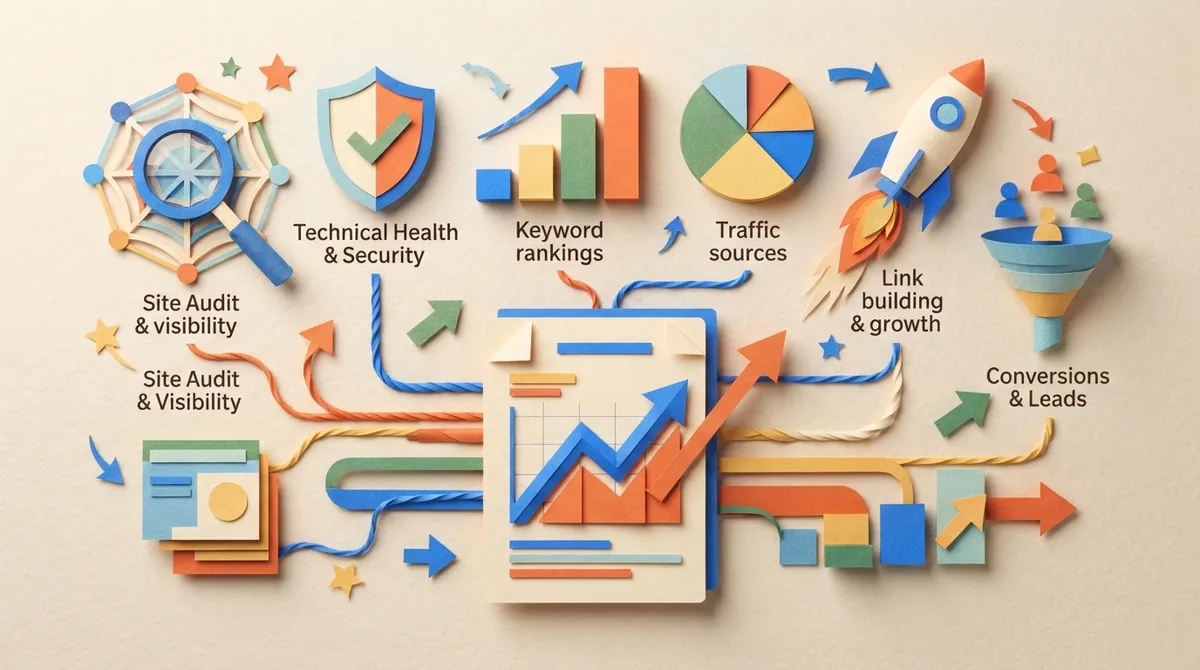
What Should Be Included in a Client SEO Report
This is one of the most common questions agencies and marketing teams ask. The truth is, more data is not always better. A report packed with 40 charts is not impressive. A report that clearly explains 6 to 8 key metrics is far more powerful.
Core Sections Every Report Needs
- Executive summary: One page that explains the big picture in plain English
- Organic traffic: How many visitors came from search, and how that compares to last month
- Keyword rankings and visibility: Where important keywords sit in search results
- Conversions from organic search: Leads, calls, form fills, or sales tied to SEO traffic
- Backlink profile changes: New links gained, links lost, and overall authority trend
- Technical health: Site speed, crawl errors, mobile issues, and indexing problems
- Content performance: Which blog posts or pages are gaining traffic and rankings
- Next steps: A short list of what you plan to do next month
Notice that traffic and rankings are not at the very top. Business outcomes should usually lead the report. Clients care more about leads and revenue than they do about raw ranking positions. Lead with the win, then support it with the data.
A Simple Structure You Can Copy
| Report Section | Purpose | Ideal Length |
|---|---|---|
| Executive Summary | Big picture wins and takeaways | 1 page |
| Traffic and Conversions | Show business impact | 1-2 pages |
| Rankings and Visibility | Show keyword movement | 1-2 pages |
| Backlinks and Authority | Show growing trust signals | 1 page |
| Technical Health | Show site is stable and crawlable | 1 page |
| Content Performance | Show blog and page wins | 1-2 pages |
| Next Steps | Set expectations for next month | 1 page |
Most solid client SEO reports land somewhere around 8 to 12 pages, with a short one-page summary at the front. That length gives clients enough detail without overwhelming them.
How Often Should You Send SEO Reports?
This question comes up constantly, and the answer depends on the client relationship. But most agencies and in-house teams follow a similar rhythm.
- Monthly reports for most clients, comparing the last 30 days to the previous period
- Weekly snapshots for clients who like frequent check-ins or are in a competitive niche
- Quarterly reviews for bigger strategic conversations and planning
Monthly is the standard cadence for a reason. It gives enough time for meaningful movement in rankings and traffic, without making every report feel repetitive.
How to Automate Your Client SEO Reports Step by Step
Manually building reports every month does not scale. If you manage even five clients, that is hours of copy-pasting data every single month. Automation solves this without sacrificing quality.
Step-by-Step Process
- Connect your data sources. Link Google Search Console, analytics, and rank tracking tools to your reporting platform.
- Choose your KPIs. Pick the 6 to 8 metrics that matter most for each client’s goals.
- Build a repeatable template. Create one master layout so every report looks consistent and professional.
- Automate data pulls. Let software gather traffic, rankings, and backlink data automatically each month.
- Add human commentary. Write two or three sentences explaining what changed and why, in plain language.
- Schedule delivery. Set reports to generate and send automatically on the same date each month.
- Review before sending. Spend five minutes checking numbers and adding personal notes for each client.
The goal of automation is not to remove the human touch. It is to remove the boring, repetitive parts so you can spend your time on the parts that actually need a human brain, like strategy and interpretation.
Tools That Help With SEO Report Automation
There are several tools built specifically for generating client-facing SEO reports. Many can pull data from a URL and keywords, then output structured documents with prioritized recommendations. This is especially useful for agencies managing dozens of client sites at once.
If you are also responsible for the content side of SEO, not just reporting, this is where a platform like SEO Rocket becomes incredibly useful. SEO Rocket automatically plans, writes, optimizes, and publishes SEO content, which means your reports naturally have more good news to share every single month. Instead of reporting on stagnant content, you are reporting on a growing library of fresh, optimized articles.
How to Explain SEO Results to Non-Technical Clients
Most clients do not know what “domain authority” or “crawl budget” means, and that is completely okay. Your job is to translate data into a story they can follow.
- Use plain language instead of technical jargon
- Compare numbers to something familiar, like last month or last quarter
- Always answer three questions: what happened, why it happened, what happens next
- Use simple charts instead of dense tables whenever possible
- End every section with a short, clear takeaway sentence
For example, instead of saying “organic sessions increased 18% MoM,” you might say: “More people found your website through Google searches this month, and that number kept growing.”
Rankings vs Revenue: What Should Lead the Report?
This is one of the biggest debates in SEO reporting, and the answer is clear. Revenue and leads should usually lead the report, not rankings.
Rankings are useful supporting evidence. But a client who sees “keyword ranked number 3” without context does not know if that is good or bad. A client who sees “organic search generated 42 new leads this month” understands the value instantly.
A Simple Rule to Remember
- Lead with business outcomes: traffic, leads, conversions, or revenue
- Support with rankings and visibility data
- Back it up with technical and content details
This order keeps the report focused on what actually matters to the person paying the bill.
Building an SEO Report Template for Your Agency
If you manage multiple clients, a repeatable template saves enormous time. It also makes your agency look more professional and consistent.
- Create one master template with placeholder sections for each KPI
- Use the same color scheme and branding across every client report
- Standardize your commentary style so every report reads the same way
- Build in space for a short “wins” section at the top of every report
- Leave room for a personalized note specific to each client’s goals
Once your template is built, most of your monthly work becomes filling in automated data and writing a few sentences of commentary. This is exactly the kind of repetitive workflow that automation tools are designed to handle.
Common Mistakes to Avoid in Client SEO Reports
Even experienced marketers fall into these traps. Avoiding them will instantly make your reports more effective.
- Including too much raw data without any explanation
- Leading with rankings instead of business outcomes
- Using technical jargon your client does not understand
- Sending reports late or inconsistently
- Forgetting to include next steps or recommendations
- Copy-pasting the same commentary every month without real analysis
Fixing even two or three of these issues can dramatically improve how your reports are received.
Why Content Consistency Makes Reporting Easier
Here is something many agencies overlook. Client SEO reports look better when there is fresh content to talk about every month. If your blog has been quiet, your report will feel repetitive and thin.
This is where daily publishing changes the game. When new, optimized articles go live consistently, you always have new rankings, new traffic sources, and new wins to highlight. Tools like SEO Rocket handle keyword research, writing, and publishing automatically, which means your content engine keeps running even during your busiest weeks. You can learn more about how this kind of system works on the how it works page, or explore the full features list to see what gets automated behind the scenes.
For teams juggling content strategy and reporting at the same time, resources like Content Automation SEO: How to Scale Organic Traffic in 2026 and How to Generate Organic Traffic With SEO Content Automation can help you understand how consistent publishing feeds directly into stronger monthly reports.
Best Practices for Reporting Software
Whether you build reports manually or use software, a few best practices apply across the board. According to reporting guides referenced by The Digital Project Manager’s SEO reporting software review, the best tools focus on clarity, automation, and customization rather than raw data dumps.
- Choose software that connects directly to your data sources
- Look for customizable templates that match your branding
- Prioritize tools that allow plain-language commentary, not just charts
- Make sure delivery can be scheduled automatically
- Check that the tool supports multiple clients if you run an agency
Good reporting software should save you hours every month, not add another complicated system to manage.
Bringing It All Together
A great client SEO report does three things well. It shows real business impact, explains what happened in plain language, and sets clear expectations for what comes next. Get those three things right, and your reports become a trust-building tool instead of a monthly chore.
If you want your reports to keep getting better every month, the easiest lever to pull is consistent, high-quality content. More published articles means more rankings to report, more traffic to celebrate, and more wins to share with your clients. Platforms built for this kind of automation, like SEO Rocket, take the manual keyword research, writing, and publishing off your plate entirely, so your reporting always has fresh, real progress behind it. You can see real examples of this in action on the writing examples page or check what current users are saying in the reviews section.
Ready to make your next report the easiest one yet? Start for $99/month and let automated content do the heavy lifting before your next reporting cycle.
FAQs
Q: What should be included in a client SEO report?
A: A good report covers organic traffic, keyword rankings, conversions, backlinks, technical health, and content performance, plus a short executive summary. Lead with business outcomes like leads or revenue, since that is what clients care about most. Keep it focused, usually around 8 to 12 pages with a one-page summary up front.
Q: How often should SEO reports be sent to clients?
A: Monthly is the sweet spot for most clients, since it gives enough time for real movement in rankings and traffic. Some agencies add weekly snapshots for competitive clients or quarterly reviews for bigger strategy talks. Pick a cadence and stick to it, because consistency builds trust.
Q: How can SEO reports be automated without losing a personal touch?
A: Automate the boring parts, like pulling traffic, rankings, and backlink data from connected tools. Then add two or three sentences of human commentary explaining what changed and why. This mix gives you speed and consistency while keeping the report feeling personal.
Q: Should a client SEO report focus on rankings or revenue?
A: Revenue and leads should usually come first, since that is what actually matters to the person paying for SEO. Rankings are great supporting evidence, but they mean little without context. Lead with outcomes, then back it up with ranking and visibility data.
Q: What is the best way to explain SEO results to non-technical clients?
A: Skip the jargon and use plain language a normal person would use in conversation. Always answer three simple questions: what happened, why it happened, and what happens next. Comparing numbers to last month also helps clients understand progress instantly.




