

Key Takeaways
-
PlePer's Chrome extension saves significant time by instantly analyzing multiple Google Maps listings for categories, reviews, and attributes in a single view, eliminating manual one-by-one competitor research.
-
The tool identifies duplicate listings and missing secondary categories that quietly hurt local rankings, allowing agencies to fix common listing mistakes during audits before they damage visibility.
-
PlePer research becomes actionable only when converted to published content; pairing it with automated publishing platforms turns competitor insights into a consistent stream of optimized local pages.
-
PlePer includes cross-platform optimization features like Apple Maps category database, which is increasingly important as more users search on non-Google map applications.
-
The Review Link Generator directly addresses a key conversion barrier by creating single-click review links that reduce customer drop-off and boost local trust signals more effectively.
-
Free access to Google Business Profile databases and CID conversion tools eliminates the need for manual spreadsheet tracking, making local SEO workflows faster for agencies managing multiple clients.
If you have ever tried to research local SEO by hand, you know the pain. You open ten browser tabs. You copy business names into a spreadsheet. You lose track of which competitor had which category. It’s exhausting, and honestly, most of us have been there at 11 PM wondering why we didn’t automate this sooner.
That’s where pleper local seo tools come in. PlePer is a free Chrome extension built for local SEO research, especially around Google Business Profiles. It helps you dig into categories, reviews, attributes, and competitor data without leaving your browser. In this article, we’ll walk through the six PlePer features worth your time in 2026, how they fit into a modern content workflow, and where automation tools like SEO Rocket can pick up the slack once your research is done.

What Is PlePer Local SEO Tools, Exactly?
PlePer Local SEO Tools is a Chrome extension paired with a companion website. It’s designed for people who do local SEO work, whether that’s agencies, consultants, or in-house marketers checking on Google Business Profile listings.
The extension gives you quick access to details on any business listing you find in Google Maps, Local Finder, or the Knowledge Panel. That includes things like:
- Business name, address, and phone number
- Categories and verification status
- Attributes tied to the listing
- GPS coordinates
- Google identifiers like CID, Place ID, and Knowledge Graph ID
It’s a research tool, not a writing tool. That’s an important distinction we’ll come back to later, because research and content production are two very different jobs.
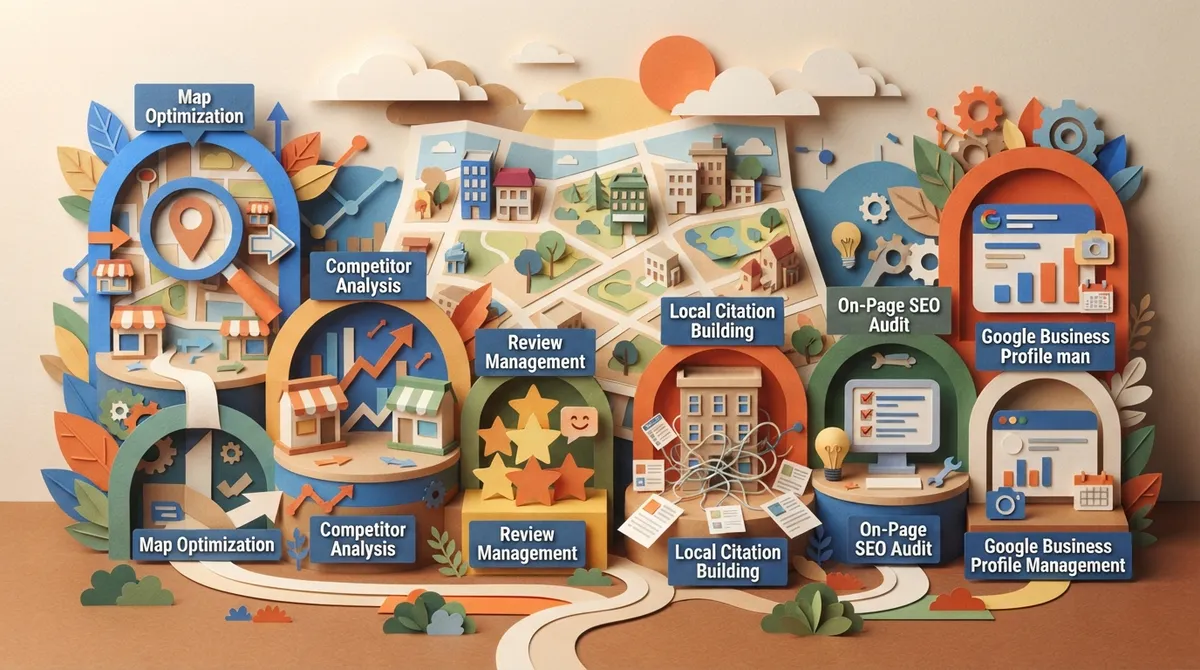
6 Pleper Local SEO Tools Features You Should Know
Let’s break down the main tools inside PlePer’s ecosystem. These are the features that show up most often in reviews and tutorials, and they’re the ones worth learning first.
1. The Chrome Extension’s Map Search Analysis
When you run a search in Google Maps, PlePer’s extension can analyze the results in four different ways: categories, reviews, attributes, and business hours. This means you can quickly see which categories dominate a local market, or which businesses have thin review profiles you could outrank.
For agencies juggling many local clients, this kind of fast snapshot saves real time. Instead of clicking into ten listings one by one, you get a summary view in seconds.
2. GBP Categories Database
Google Business Profile categories matter a lot for local ranking. Picking the wrong category, or missing a secondary one, can quietly hurt visibility. PlePer’s GBP Categories tool lets you search and browse the full list of available categories, which helps you make smarter choices during audits.
3. Review Link Generator
Getting more Google reviews is one of the simplest ways to boost local trust signals. PlePer’s Review Link Generator creates a direct link customers can use to leave a review, cutting out extra steps that cause people to give up halfway through.
4. Apple Maps Business Categories
Local SEO isn’t just about Google anymore. PlePer also includes a database for Apple Maps categories, which is handy since more users are searching on Apple devices than ever. This tool helps you make sure listings are optimized across both major map platforms.
5. Duplicate Search Tool
Duplicate listings quietly confuse Google and dilute your local ranking signals. PlePer’s Duplicate Search helps you find these problem listings so they can be merged or removed. This is a common issue agencies find during audits, especially for businesses that moved locations or rebranded.
6. CID Converter
Every Google Business Profile has a CID, a unique numeric identifier. The CID Converter tool translates this into other useful formats, like a direct Google Maps link. It’s a small utility, but it saves a surprising amount of manual digging.
Why These Tools Matter for Local SEO Content Workflows
Here’s the thing. Local SEO research and local SEO content are two halves of the same job. You can’t write a strong location page or service area post without knowing your competitor’s categories, review counts, and listing gaps first.
PlePer helps you gather that raw research quickly. But once you have it, someone still has to turn it into content. That’s usually where the bottleneck happens for small teams.
PlePer Features at a Glance
| Tool | What It Does | Best For |
|---|---|---|
| Chrome Extension Map Analysis | Shows categories, reviews, attributes, hours for map results | Quick competitor snapshots |
| GBP Categories Database | Searchable list of Google Business Profile categories | Listing audits and optimization |
| Review Link Generator | Creates direct review links for customers | Boosting review volume |
| Apple Maps Categories | Category database for Apple Maps listings | Cross-platform local visibility |
| Duplicate Search | Finds duplicate business listings | Cleaning up local citations |
| CID Converter | Converts Google CIDs into usable formats | Technical local SEO tasks |
How to Get Started With PlePer Local SEO Tools
Getting set up is fairly simple, even if you’re new to Chrome extensions. Here’s a step-by-step rundown:
- Go to the Chrome Web Store and search for PlePer Local SEO Tools, or use the direct listing link.
- Click “Add to Chrome” and confirm the permissions request.
- Open Google Maps and search for any business or category in your target area.
- Click the PlePer icon in your browser toolbar to open the analysis panel.
- Choose which view you want: categories, reviews, attributes, or hours.
- Use the pin feature to overlay listing data directly onto the page for documentation.
- Export your findings if you need to share them with a client or teammate.
The whole process takes just a few minutes once you get the hang of it. It’s a genuinely useful addition to any local SEO toolkit, and it’s free to start.
Where PlePer Fits (and Where It Doesn’t)
Let’s be honest with each other for a second. PlePer is a research and audit tool. It’s excellent at pulling data out of Google Maps and organizing it into something usable. What it does not do is write content, plan a publishing calendar, or optimize a full article for search intent.
That’s a completely different job, and it’s one that eats up hours every single week if you’re doing it manually. Many small agencies and in-house teams find themselves stuck after the research phase. They know what categories to target and what gaps competitors have, but turning that into published, ranking content is a whole separate project.
This is exactly the gap that SEO Rocket’s automation features were built to close. Once you know your local market from tools like PlePer, SEO Rocket can take that direction and turn it into a steady stream of published articles, without you writing a single word by hand.
Common Local SEO Research Mistakes to Avoid
Even with good tools, it’s easy to slip into bad habits. Here are a few things to watch for:
- Relying only on primary categories and ignoring secondary category opportunities
- Skipping duplicate listing checks, which quietly hurts ranking consistency
- Gathering research but never turning it into published content
- Ignoring Apple Maps while only optimizing for Google
- Auditing competitors once and never repeating the process
- Treating review generation as a one-time task instead of an ongoing habit
Local SEO rewards consistency. A single audit is a good start, but it needs to feed into an ongoing content and optimization plan to actually move rankings.
From Research to Rankings: Closing the Content Gap
Here’s where a lot of small teams get stuck. You’ve done the PlePer research. You know your competitor’s category mix and review gaps. Now what?
This is the exact moment where content automation earns its keep. Instead of spending hours writing location pages or blog posts by hand, a platform can take your research direction and produce full, SEO-optimized articles automatically. SEO Rocket, for example, generates long-form articles daily, complete with metadata, internal links, and images, based on keyword opportunities you approve in a simple calendar.
Setup takes under 10 minutes. You connect your website, whether it’s WordPress, Webflow, Shopify, or Wix, and the system takes it from there. If you want to see how the whole process works end to end, check out how it works before you commit to anything.
Steps to Combine PlePer Research With Automated Content
Here’s a simple workflow that pairs manual research tools with automated publishing:
- Use PlePer’s Chrome extension to audit local competitor categories and reviews.
- Identify gaps, like missing categories or thin review profiles, that represent opportunities.
- Turn those insights into keyword ideas for local landing pages or blog content.
- Add those keywords to your content calendar for automatic scheduling.
- Let an automation platform generate and publish the articles on a consistent schedule.
- Review performance data monthly and adjust your keyword targets as needed.
This kind of workflow means your research time actually turns into published pages, instead of sitting in a spreadsheet nobody opens again.
Who Benefits Most From This Combination
Different teams get different value from pairing research tools with automation:
- Small SEO agencies can audit more local clients without adding headcount
- In-house marketing teams can act on competitor insights without hiring writers
- Content managers can keep a steady publishing cadence across many local pages
- Digital marketing consultants can offer faster turnaround to clients
- E-commerce SEO specialists can extend local insights into store location pages
- Small business owners can compete with bigger local players on a tight budget
If you’re managing this process across multiple clients, you already know how much time gets lost switching between spreadsheets and content docs. Automating the writing side frees up hours for the strategy work that actually needs a human.
A Quick Word on Cost and Time
Traditional SEO agencies often charge thousands per month for ongoing content work. Manual research plus manual writing can easily eat 10 to 15 hours a week for a single client. That adds up fast, especially for small teams stretched thin.
Automated platforms flip that math. A tool that costs under $100 a month and produces a full article every day changes the economics completely. It’s worth comparing the actual hours saved against what you’re currently spending, whether that’s your own time or a freelancer’s invoice.
Wrapping Up
PlePer local seo tools are a genuinely handy addition to any local SEO toolkit. The Chrome extension makes competitor research faster, the category databases help you avoid common listing mistakes, and tools like the Review Link Generator and Duplicate Search solve real, everyday problems.
But research alone doesn’t move rankings. Content does. Once you’ve gathered your local insights, the next step is turning them into published, optimized pages on a consistent schedule. That’s the piece most small teams struggle to keep up with long term.
If you’re ready to stop letting research sit unused in a spreadsheet, it might be time to put your content on autopilot. You can start for $99/month and let daily publishing do the heavy lifting, or simply sign up and see how quickly your local content calendar fills up. For more on building a full content strategy around your research, check out our guide on how local SEO optimization works in 2026, or browse read our blog for more practical SEO guides.
FAQs
Q: What is PlePer Local SEO Tools used for?
A: PlePer is a Chrome extension that helps you research Google Business Profile listings, including categories, reviews, attributes, and business hours. It’s great for competitor audits and local SEO research, though you’ll still need a separate plan for turning that research into published content.
Q: Is PlePer Local SEO Tools free or paid?
A: The core Chrome extension and many of PlePer’s website tools are free to use. Some advanced features may be tied to paid offerings, but you can get a lot of value from the free version alone.
Q: How does PlePer help with Google Business Profile optimization?
A: PlePer shows you category data, attributes, and review stats for any listing you view in Google Maps. This helps you spot missing categories, thin reviews, or duplicate listings that could be holding your rankings back.
Q: Can PlePer be used for competitor research in local SEO?
A: Absolutely, that’s one of its main strengths. You can quickly analyze multiple competitor listings in a search area to see their categories, review counts, and attributes side by side.
Q: How do you turn PlePer research into published content?
A: PlePer gathers the raw data, but you’ll need a separate tool to write and publish articles based on that research. Platforms like SEO Rocket can take your keyword insights and automatically generate and publish optimized articles on a daily schedule, closing the gap between research and results.




